1. OPERATIONAL OVERVIEW
1-7
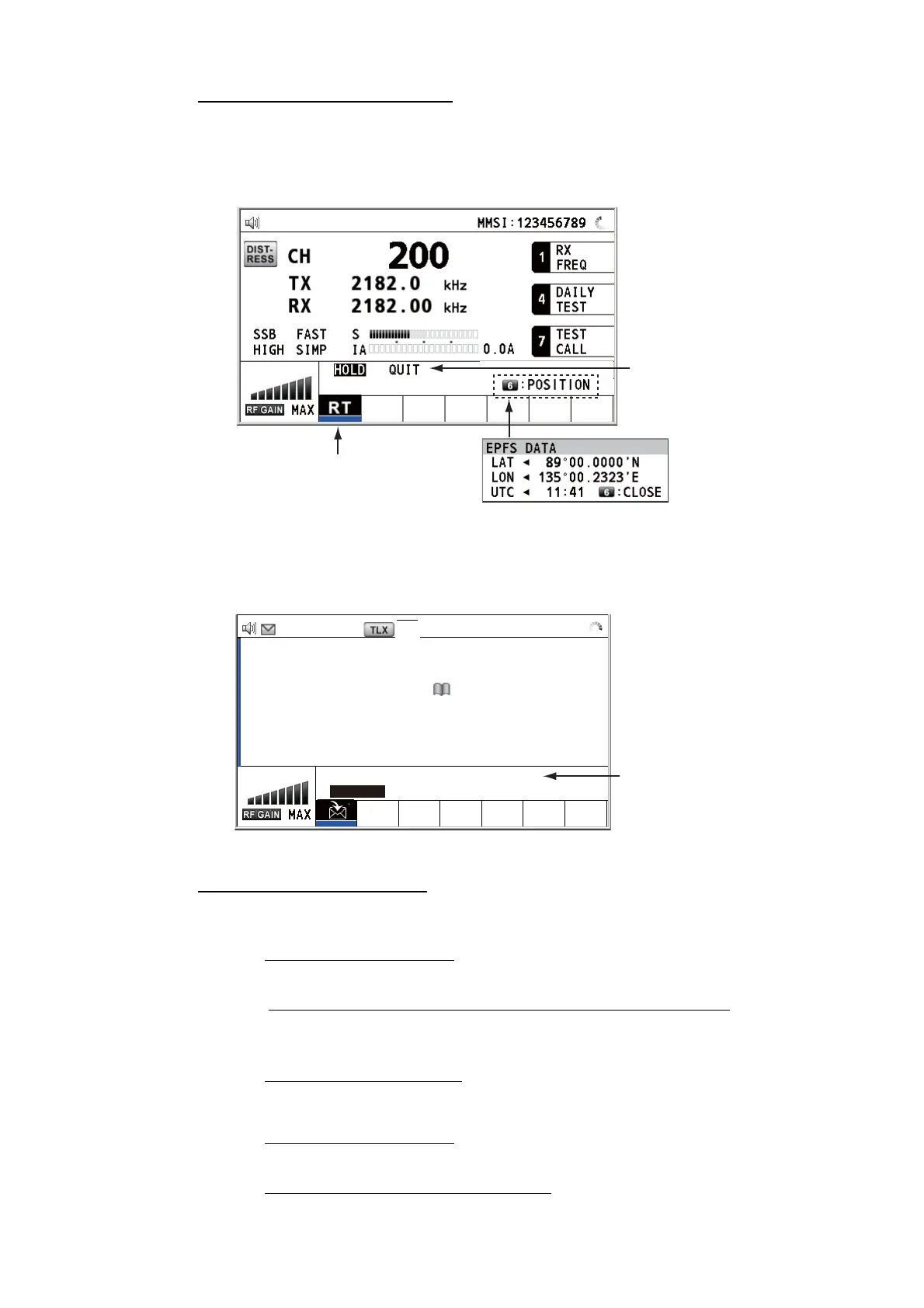
How to finish a single session
RT session
1. Press the TAB key to select the RT icon in the tab area.
2. Rotate the ENTER knob to select [QUIT] then push the knob.
DSC session
The cursor is in the tab area when the DSC session starts. Rotate the ENTER knob to
select [QUIT] then push the knob.
How to start a new session
When another session is active:
• When sending the distress alert
, all sessions except the distress alert TX session
automatically close then the distress alert TX session starts.
• When doing an RT session or sending a non-distress DSC message
, the currently
active session is put on hold then the RT session or non-distress DSC message TX
session starts.
• When receiving a DSC message
, its session is put on hold.
When no other session is active:
• When sending the distress alert
, all sessions except the distress alert TX session
automatically close then the distress alert TX session starts.
• When sending a non-distress DSC message
, its session becomes the active ses-
sion.
Step 1: Press the TAB key
to select the RT icon.
Step 2: Rotate the ENTER
knob to select [QUIT].
Press the 6 key to
open the position
data window.
[SELECT AN ACK]
ELAPSED TIME:
INDIVIDUAL MSG 00
H
00
M
58
S
FROM :
123456789
CAPTAIN_2575
COMM MODE :
TELEPHONE
COMM FREQ :
TX 2170.0 /RX 2170.0
kHz
INFO PRINT HOLD QUIT
ACCEPT UNABLE PROPOSE
TX 2177.0/ RX 2177.00 kHz
Rotate the ENTER knob
to select [QUIT].



 To Next Page