8-1
8. RECORD/RECALL OPERATION
You can take still images of the display and store them internally.
8.1 How to Specify Where to Save Still Images
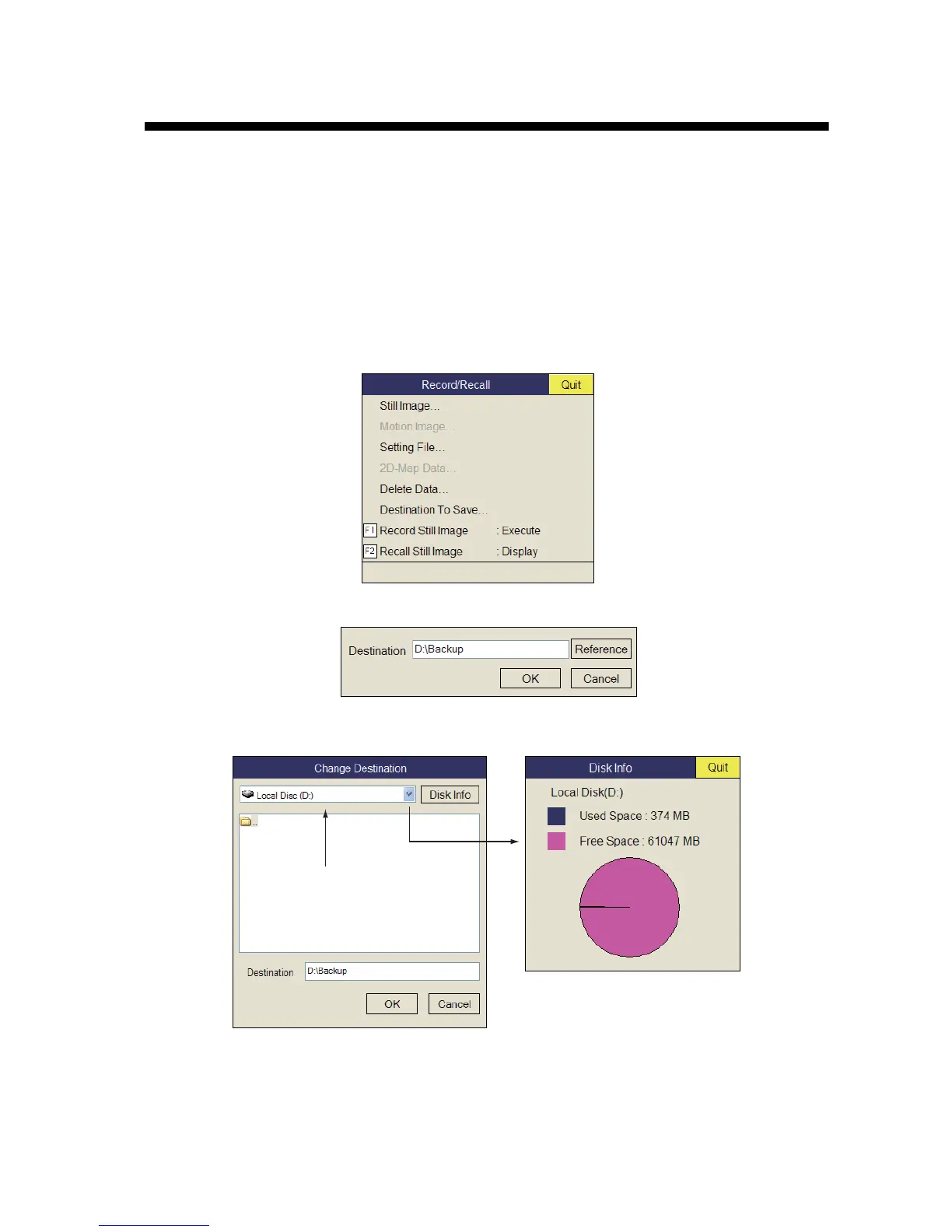
You can specify where to save still images as follows:
1. Push the right-click button on the numeric/graphic data display to show the pop-
up menu.
2. Select [Record/Recall] then push the left-click button.
3. Select [Destination To Save] then push the left-click button.
4. Select [Reference] on the Destination To Save window then push the left-click but-
ton.
Note: Disk capacity of the D drive may be changed.
5. Specify the location where to save the still image from the pull-down menu.
“D” drive saves a still image to a folder whose name is automatically given the cur-
rent data (yyyy.mm.dd).
Disk Information window
Destination list
Left-click



 To Next Page