4. SLANT MODE
4-3
4.2.2 Slant mode, combination display
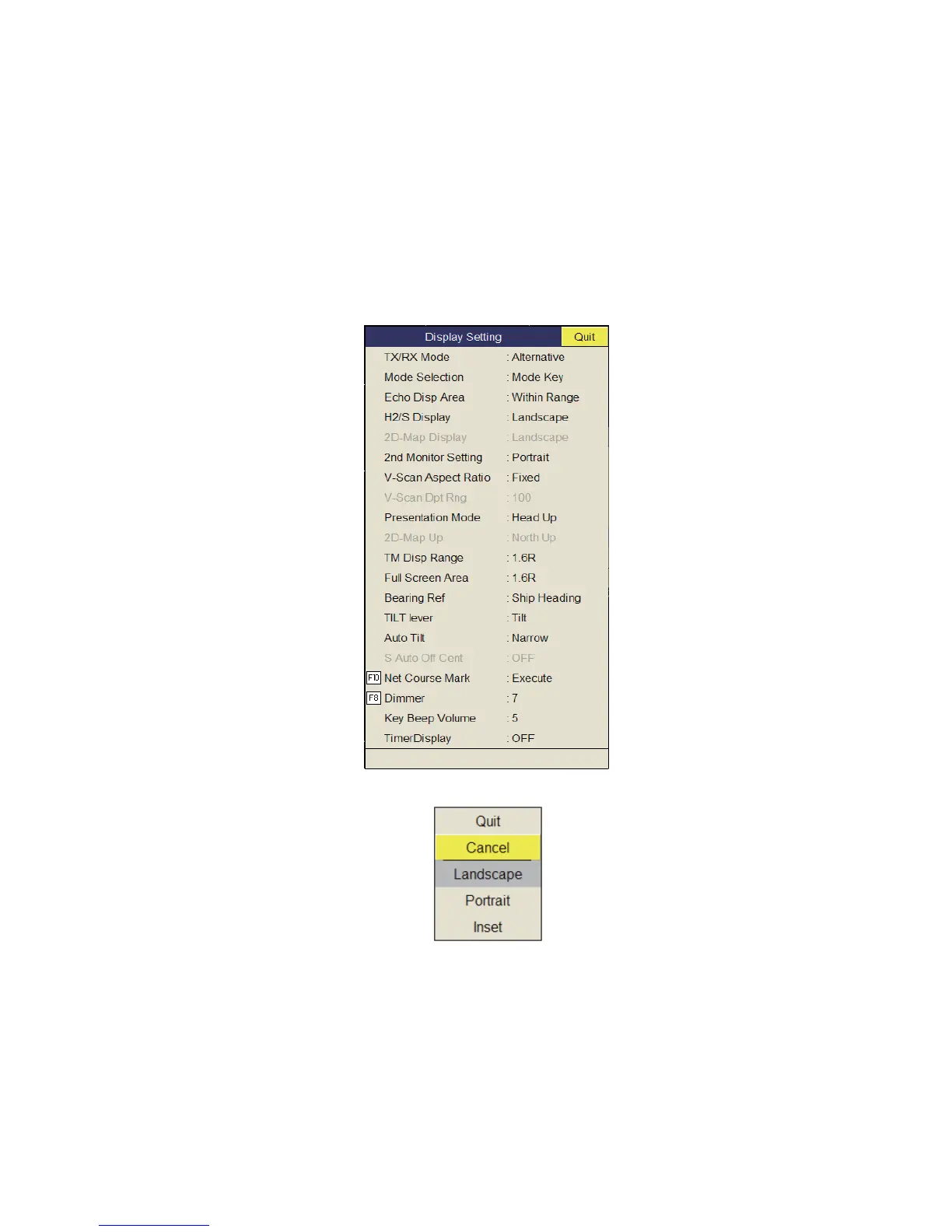
The slant mode combination display provides the slant and horizontal pictures. The
pictures can be arranged in landscape, portrait and inset. The zoom-out display shown
on the inset display can be moved or changed the size with the drug and drop opera-
tion.
To select desired combination display do the following:
1. Press the MENU/ESC key to show the main menu.
2. Select [Others] then push the left-click button.
3. Select [DIsplay Setting] then push the left-click button.
4. Select [H2/S Display] then push the left-click button.
5. Select the item desired then push the left-click button.
6. Select [Quit] on the setting box then push the left-click button to close the box.
7. Long-press the MENU/ESC key to close all menus.



 To Next Page