2. WIRING
2-8
Note 2: A PAL converter (locally arranged) is required to input NTSC format analog
video.
Cameras may be set up using the appropriate menu item on the [Camera] menu, ac-
cessed from the [Settings] menu. For details on camera setup, see the operator’s
manual (OME-44870-x).
Video out (external HDMI monitors)
You can connect an HDMI monitor to the TZT2BB. If the monitor is a touch monitor,
you can also operate the TZT2BB from the monitor.
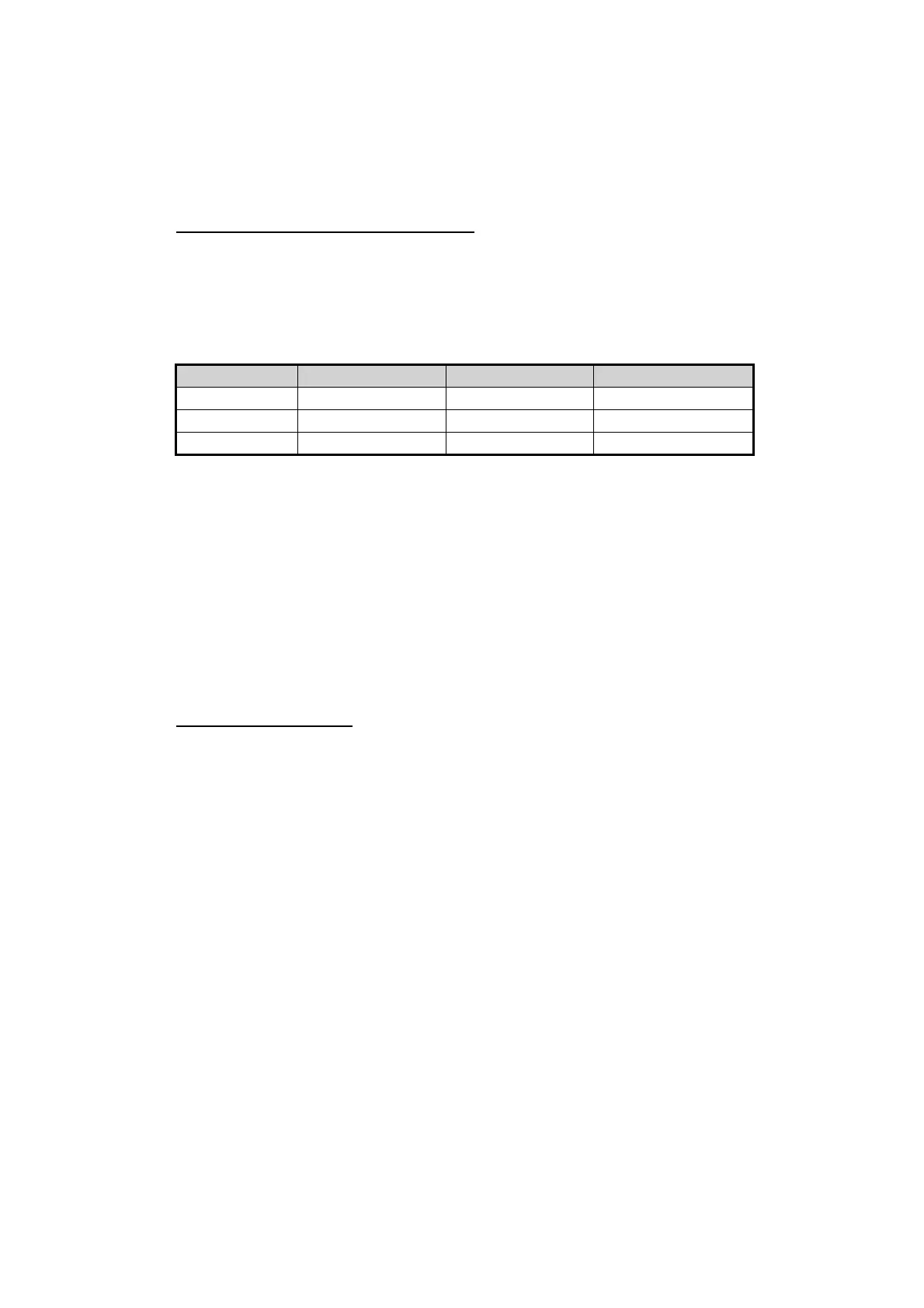
The TZT2BB is compatible with wide-screen monitors which meet the following re-
quirements:
Connect the monitor’s HDMI IN cable to either HMDI OUT1 or HDMI OUT2 on the
TZT2BB. For touch monitors, connect the USB cable on the monitor to the appropriate
USB cable on the TZT2BB (USB for HMDI OUT1/2).
2.8 NMEA 2000 Connector
The TZT2BB has one NMEA 2000 connector (micro type connector). All TZT2BB must
be connected to the same NMEA 2000 backbone. To connect the TZT2BB with a DRS
(radar sensor), use “Ethernet Bridging” to link the DRS CAN bus and the NavNet TZ-
touch2 CAN bus data (see section 2.4).
What is NMEA 2000?
NMEA 2000 (also knows as CAN bus) is a communication protocol that shares multi-
ple data and signals through a single backbone cable. You can simply connect any
NMEA 2000 devices onto the backbone cable to expand your network on-board. With
NMEA 2000, IDs are assigned to all the devices in the network, and the status of each
sensor in the network can be detected. All the NMEA 2000 devices can be incorporat-
ed into the NMEA 2000 network. For detailed information about NMEA 2000 wiring,
see "FURUNO CAN bus Network Design Guide" (Type: TIE-00170).
Resolution Vertical Freq. Horizontal Freq. Pixel Clock
19201080 60 Hz 67.5 kHz 148.5 MHz
12801024 60 Hz 64.0 kHz 108.0 MHz
1024768 60 Hz 48.4 kHz 65.0 MHz















 To Next Page