3. EQUIPMENT SETUP
3-3
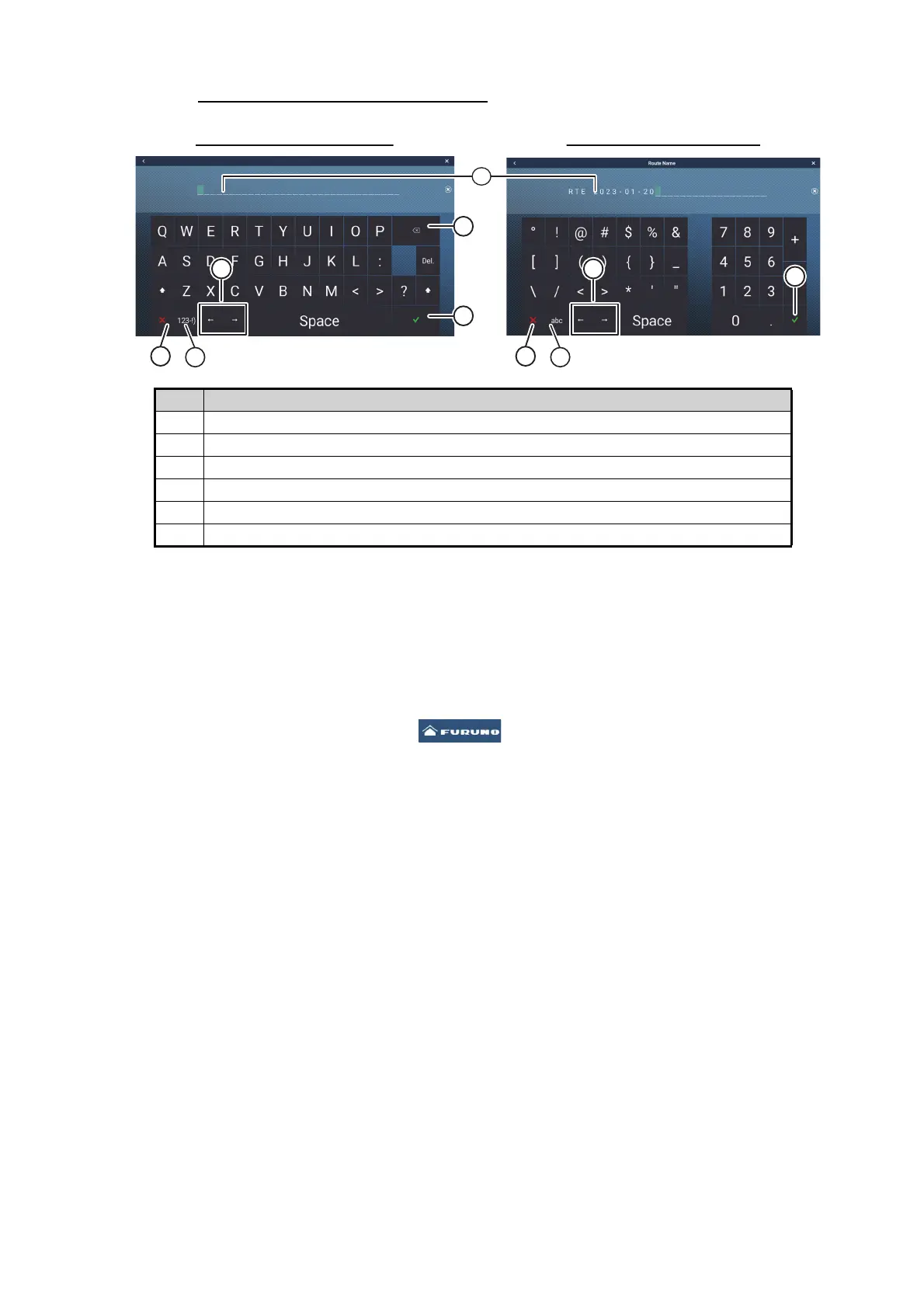
How to use the software keyboard
3.1 How to Set Time Zone, Time Format and Lan-
guage
Before setting up your equipment, select the time zone, language and units to use on
your equipment as shown below.
1. Tap the [FURUNO] icon ( ) to show the home screen and display mode
settings.
2. Tap [Settings] to show the [Settings] menu.
3. Drag the menu to display the [General] menu item, then tap [General] on the main
menu to show the [General] menu.
4. Drag the menu to show the [Local Time Offset] menu item, then tap [Local Time
Offset] to show the numerical keyboard.
5. Input the time difference (using 15-minute intervals), then tap [].
6. Drag the menu to show the [Time Format] menu item, then tap [Time Format] to
show the option window.
7. Select how to display time, in 12 or 24 hour format. [Auto] automatically inserts
AM, PM indication in 24 hour clock, when the language is English.
8. Tap the [<] at the top left of the screen to return to the [General] menu.
No. Description
1 Cursor position is highlighted.
2 Enter button. Tap to complete character input and apply changes.
3 Cursor keys. Tap to move the cursor left/right.
4 Cancel button. Aborts character entry. No changes are applied.
5 Backspace/Delete. Tap to erase one character at a time.
6 Tap to switch between alphabet and numeric keyboards (where available).
Route Name
Alphabet software keyboard Numeric software keyboard
1
2
3
3
5
44
6
5
6













 To Next Page