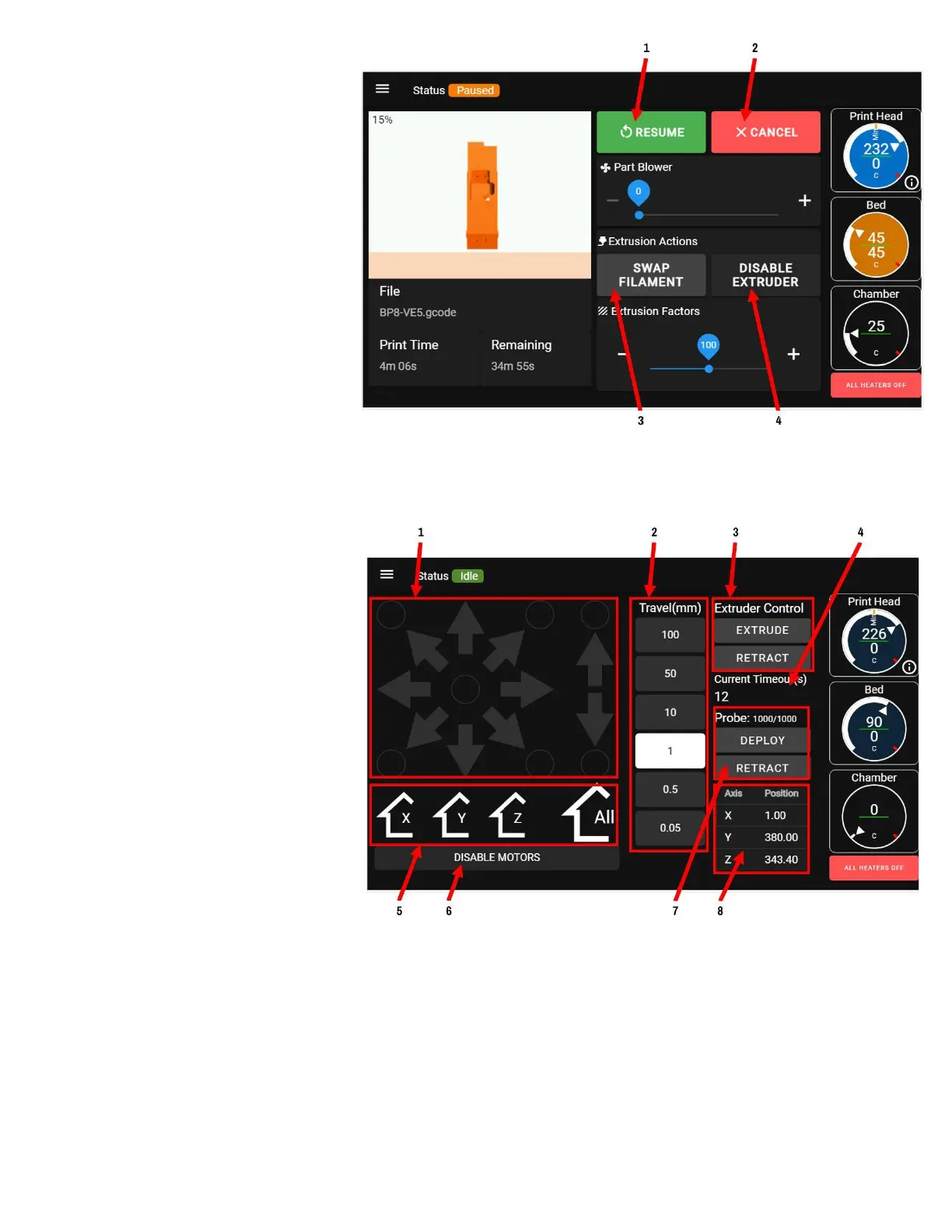
When a print is paused:
1. Resume print
2. Cancel print
3. Swap filament
4. Disable the extruder motor so
it can be turned by hand
CONTROL SCREEN
The control screen is where you can
manually home each axis and "jog" it
around. It also shows you readouts
on where the printer is in 3D space,
the filament monitor timeout, and bed
probe controls & readouts.
1. Jog controls: Axes must be
homed to use these. Use the
arrows in combination with the
Travel Increment selector to
move axes around.
a. The "star" of arrows
moves X and Y
b. The up and down arrows move Z
c. The dots move the axes to predefined points in space (all axes must be homed first).
i. Press the center dot to move the print head to the center of X, Y.
ii. Press the bottom dot to move the Z axis all the way down
2. Travel increment: Select how far you want the axis to move for each arrow press



 To Next Page