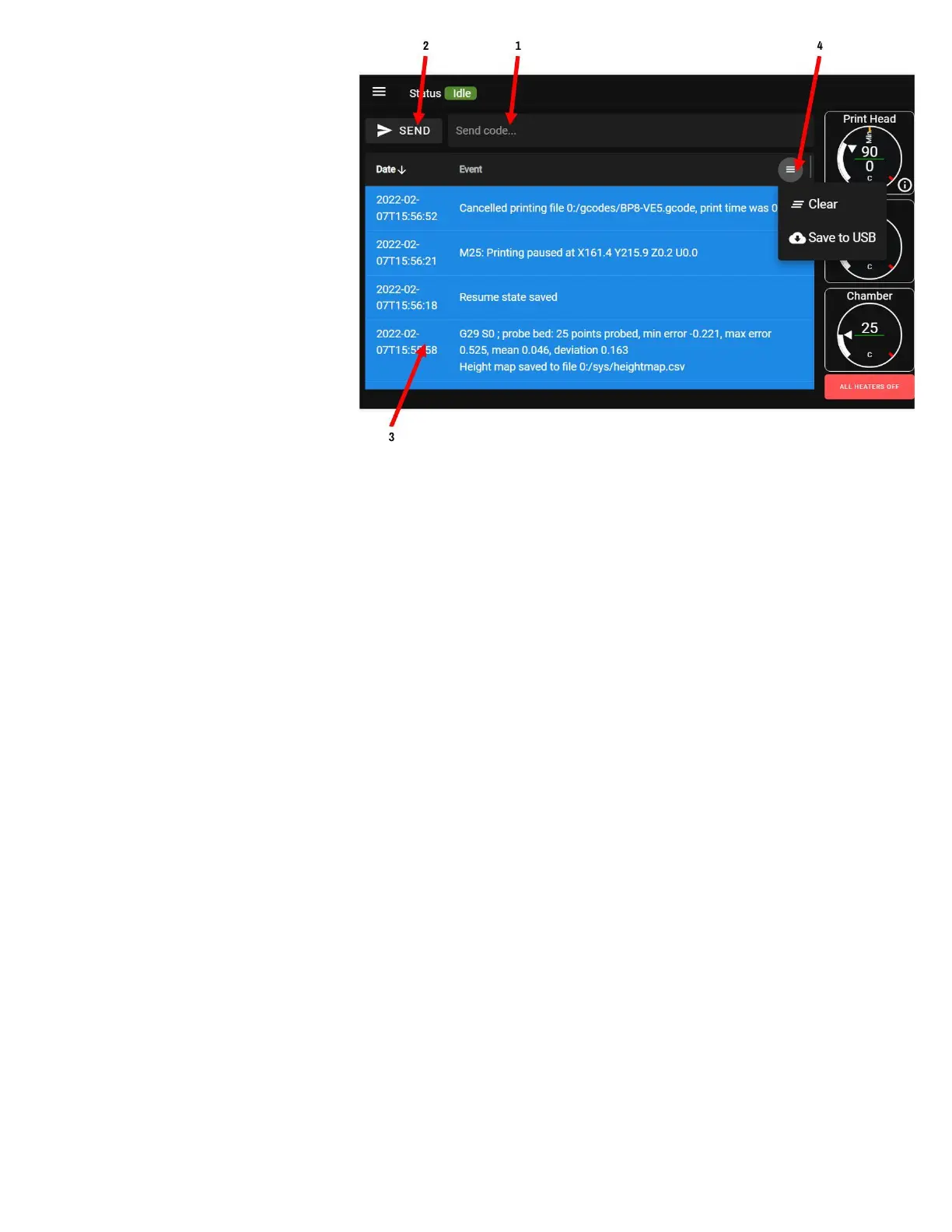
CONSOLE SCREEN
The console is used to view the direct
output of the printer, or to send it
individual gcode commands. This is
useful for advanced users, as well as
for support, diagnostic, and
troubleshooting. In normal use you
will rarely need this screen.
1. Command entry line: enter
your gcode commands here.
2. Send button: makes the printer
execute the command you
entered in the entry line
3. Console log: shows the history
of input and output from the printer. This is saved as a log file on the device as well.
4. Console menu: press to access options for the log
a. Clear: clears the history shown to you (but does not affect the system log)
b. Download the console log as a text file or csv file
NOTE ON 4(b): If you're using the printer from a computer over the network, this will download a
file to your computer. If you're using the onboard LCD, this will attempt to dump the log file to a
thumb drive, if one is plugged into the front USB port.



 To Next Page