6. Unload filament: press to begin the process to unload filament from the print head
7. Extruder flow control: use to adjust the relative flow rate of material out of the extruder
8. Temperature indicators region: always shown for safety
9. Status graphic: shows various icons during certain actions, and displays print progress during a print
10.Print information region: shows information about a print when one is running
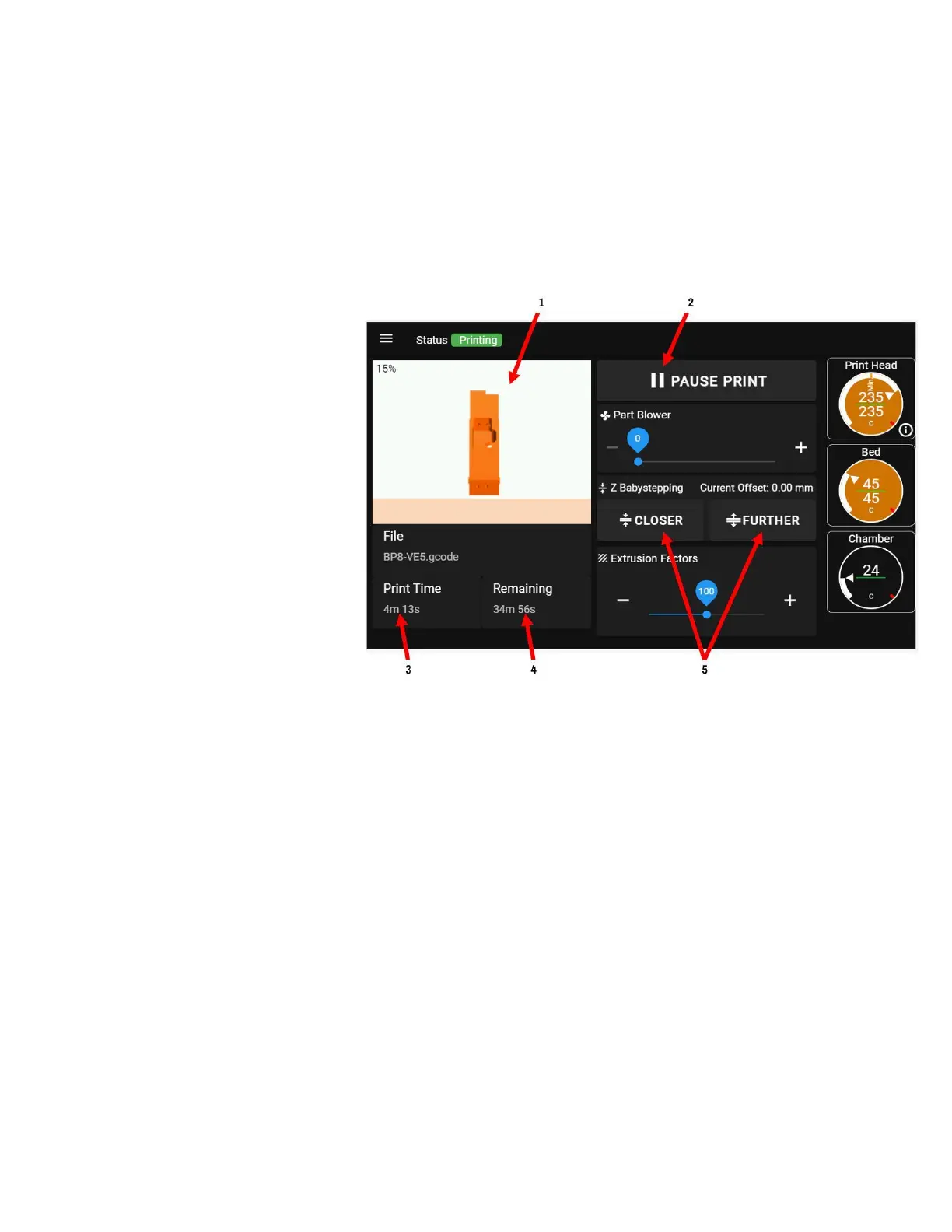
PRINT SCREEN
(During a Print)
When a print is running, the options
available to you change.
1. Preview image of print in
progress
2. Pause print button (unavailable
during the start-of-print
sequence)
3. Elapsed print time
4. Estimated print time remaining
(will show n/a until the printer
is able to calculate a realistic estimate)
5. Babystepping controls



 To Next Page