TEMPERATURE CONTROLS
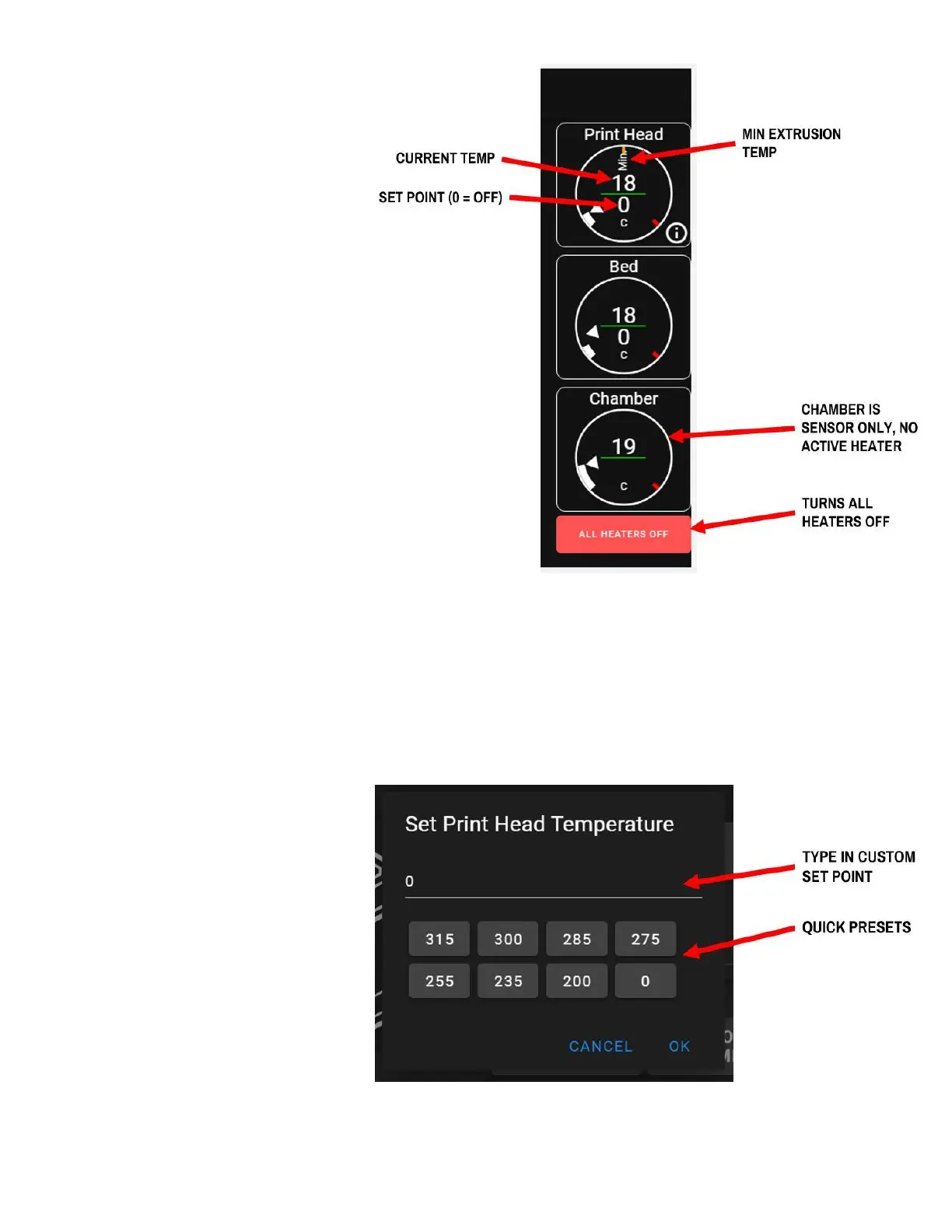
All screens keep the temperature
controls and readouts shown on the
right hand side. This is a safety
measure so that you can know the
current temperature of potentially hot
components at a glance at all times.
● In each temperature dial, the
current temperature is shown
on top.
● The bottom number is the
current set point.
● A set point of 0 means the
heater is off.
● The gauge around the
perimeter gives a visual
indication of the current
temperature and set point.
● The "min" line in the print head
temperature gauge shows
the minimum print head temperature
for extrusion of filament to be allowed.
Touching a temperature gauge will
bring up a dialogue box where you can
manually adjust the current set point.
You can do this when the printer is
idle, and also during a print.



 To Next Page