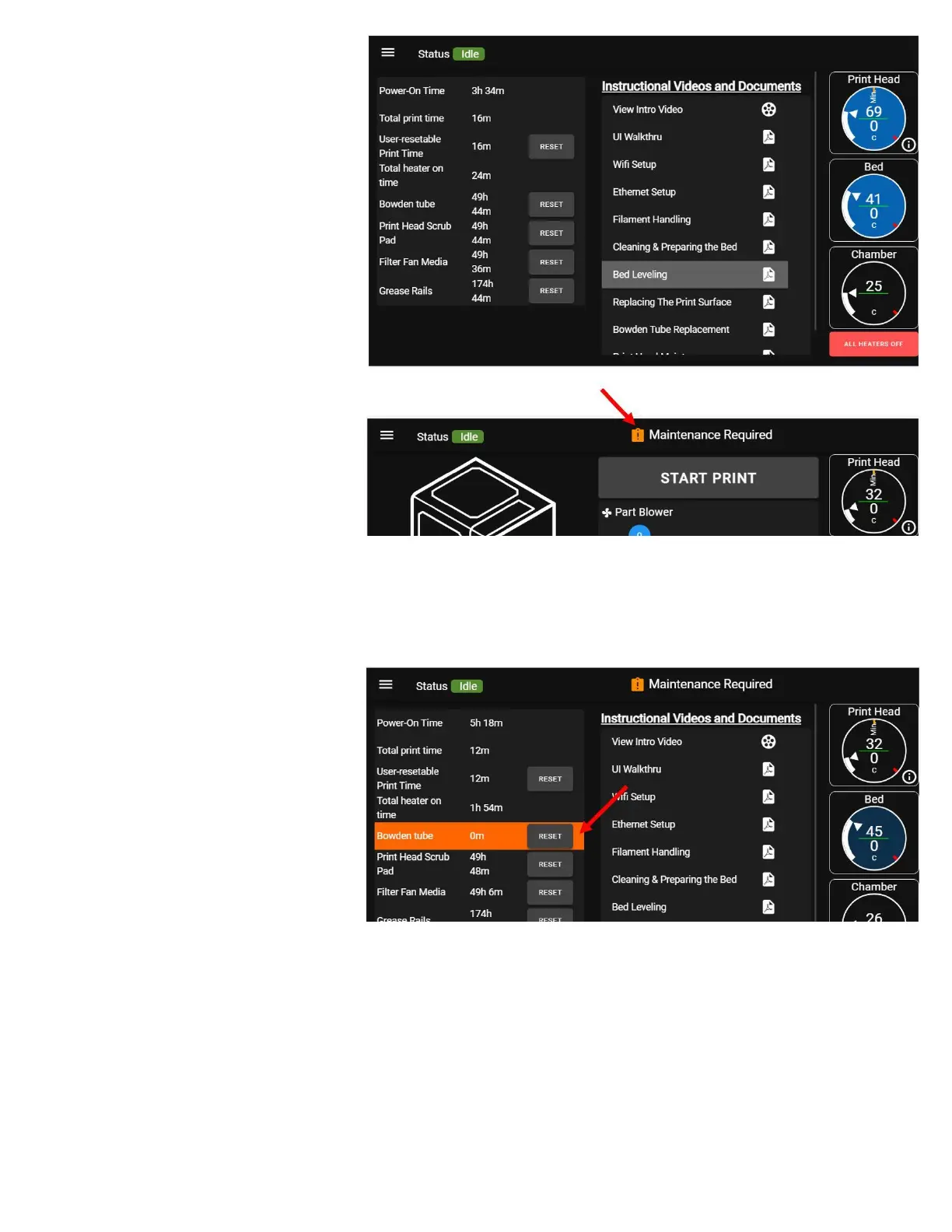
MAINTENANCE SCREEN
This screen serves two main
purposes:
1. To show the timers for various
important maintenance items
2. To show selected support
documentation for important or
frequently-needed topics
Maintenance Timers
The first 4 timers track printer run time
or various parameters of it. These
count up from 0. The other timers are
maintenance timers that count down
from a preset value. When these
reach 0, you will get a maintenance
reminder that certain maintenance items need to be performed in order to keep your printer in optimal
operating condition.
Help Documents
A list of onboard help documents for
common tasks and maintenance
items.



 To Next Page