SETTING UP YOUR EDGE 3D PRINTER & FIRST PRINT
How to set up your new EDGE 3D printer.
WHERE SHOULD I LOCATE MY EDGE 3D PRINTER?
Please select a surface that meets the following criteria:
- Capable of supporting 120 lb (55 kg)
- At least 31" x 30" in size
- Sturdy enough to resist vibration & shaking during the printer's operation
- Reasonably flat and level
- At least 2" of clearance on the rear side and left side of the printer, for exhaust fans
- Close proximity to a 120/110V power outlet capable of delivering 6 amps continuous power
In addition you may want to consider these optional criteria:
- Reasonably out of the path of foot traffic so that people do not accidentally bump or knock the printer
- A location where the noise of the printer (approximately equivalent to a printer or copy machine
running) will not bother anyone
- Close to a wired ethernet port if you intend to install the printer on your wired network
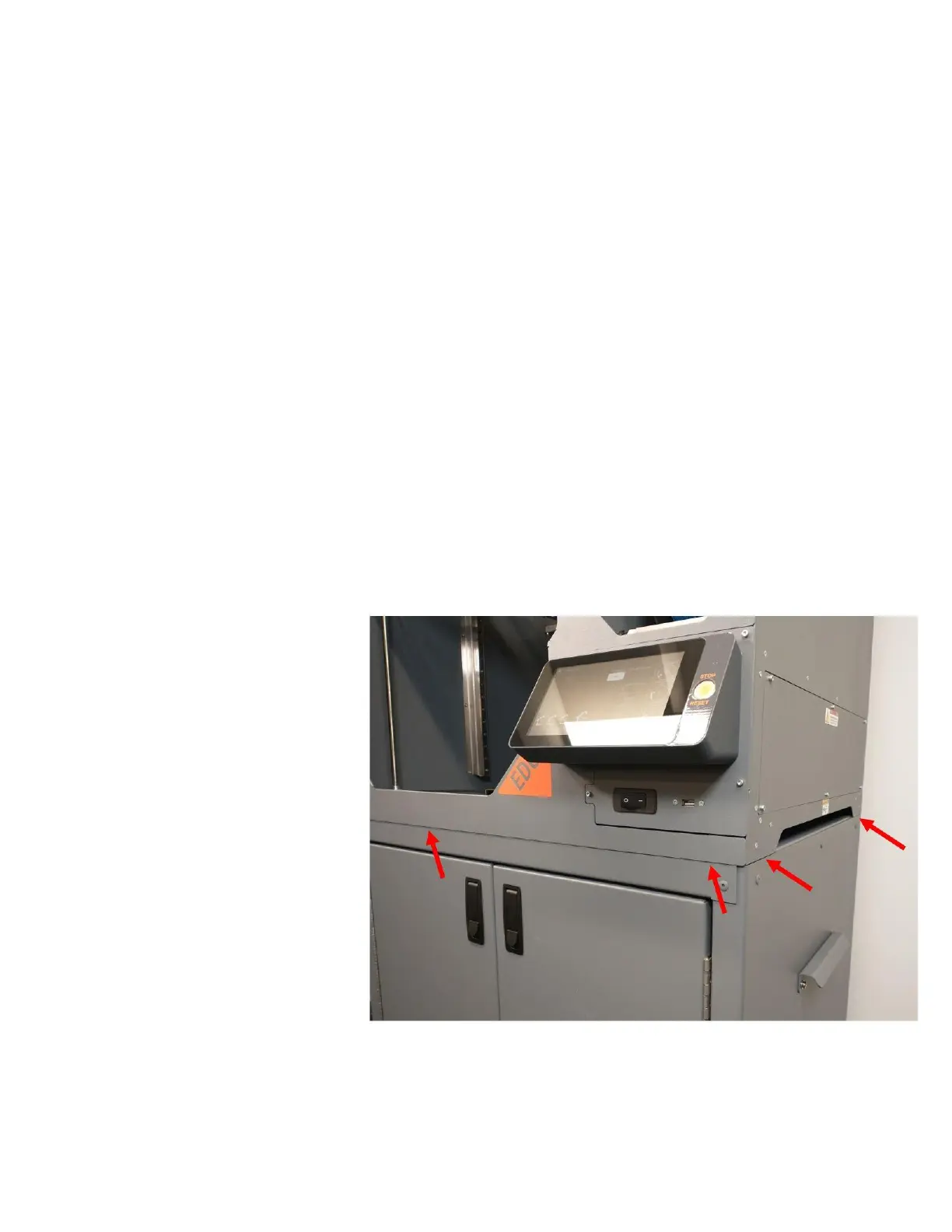
If you have purchased one of our
optional rolling carts, simply place the
printer on top of the cart with the front
and side edges of the printer aligned
with the cart.



 To Next Page