UNPACKING YOUR EDGE 3D PRINTER
How to correctly unpack your EDGE 3D printer from its shipping packaging
IMPORTANT: Please carefully inspect the printer and packaging for damage and issues. Note
any packaging damage on the Bill of Lading (BOL) WHEN YOU RECEIVE THE SHIPMENT FROM
THE SHIPPER. If damage is not noted on the BOL then we cannot file a claim to cover any
shipping damage.
IMPORTANT: Please retain all packing materials. Your 3D printer is a sensitive piece of electrical
equipment and should always use this packaging when being transported or shipped.
1. Inspect the box for damage. Check for punctures or impacts from the side, check for crushing from
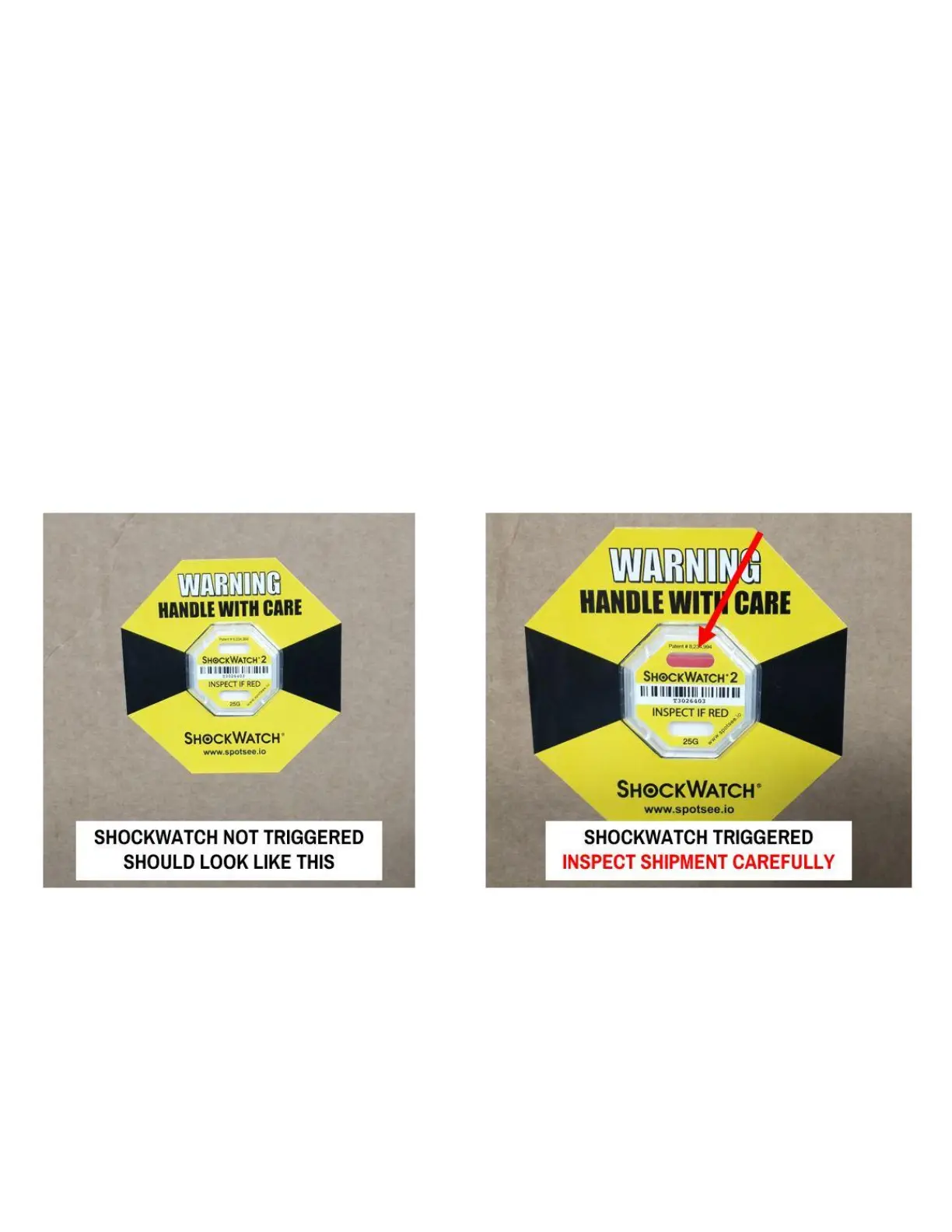
the top, and check the shockwatch to see if it's triggered.
If the shockwatch is triggered: Your shipment has experienced a shock > 25G. Your printer may be fine,
but the odds of shipping damage are higher.



 To Next Page