EDGE - LOADING FILAMENT
How to load filament into your EDGE 3D printer
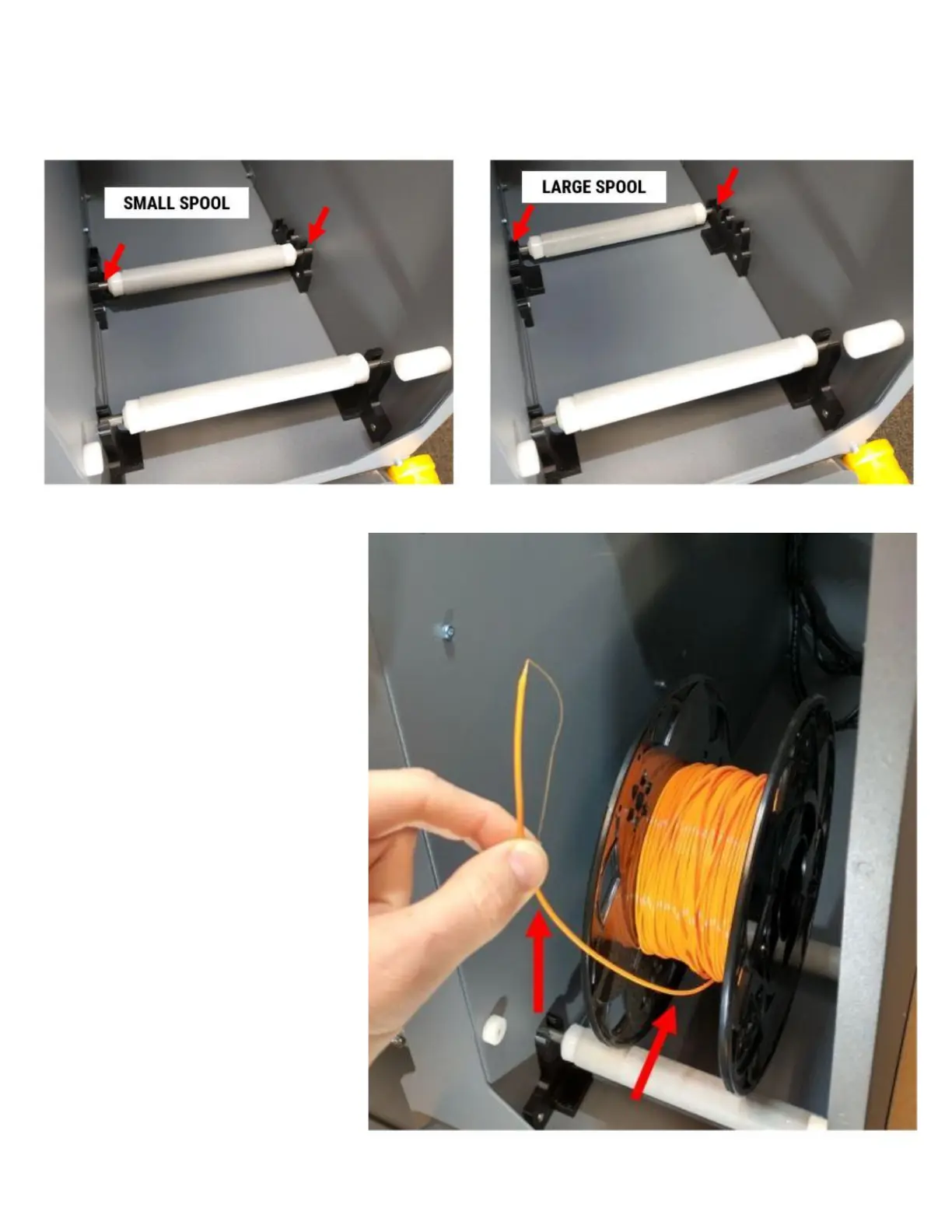
1. Depending on the size of the spool, adjust the rear spool roller to fit the size of spool you are loading.
2. Place the filament spool onto the
rollers with the free end of filament
paying off the front and pointing
up.
IMPORTANT: NEVER allow the free
end of the filament to get loose
and out of control. When this
happens it can wrap under itself on
the spool and cause a tangle later.
This is rarely obvious immediately
after it happens, and inevitably
shows up in the middle of a 20+
hour print job and causes a feed
issue.



 To Next Page