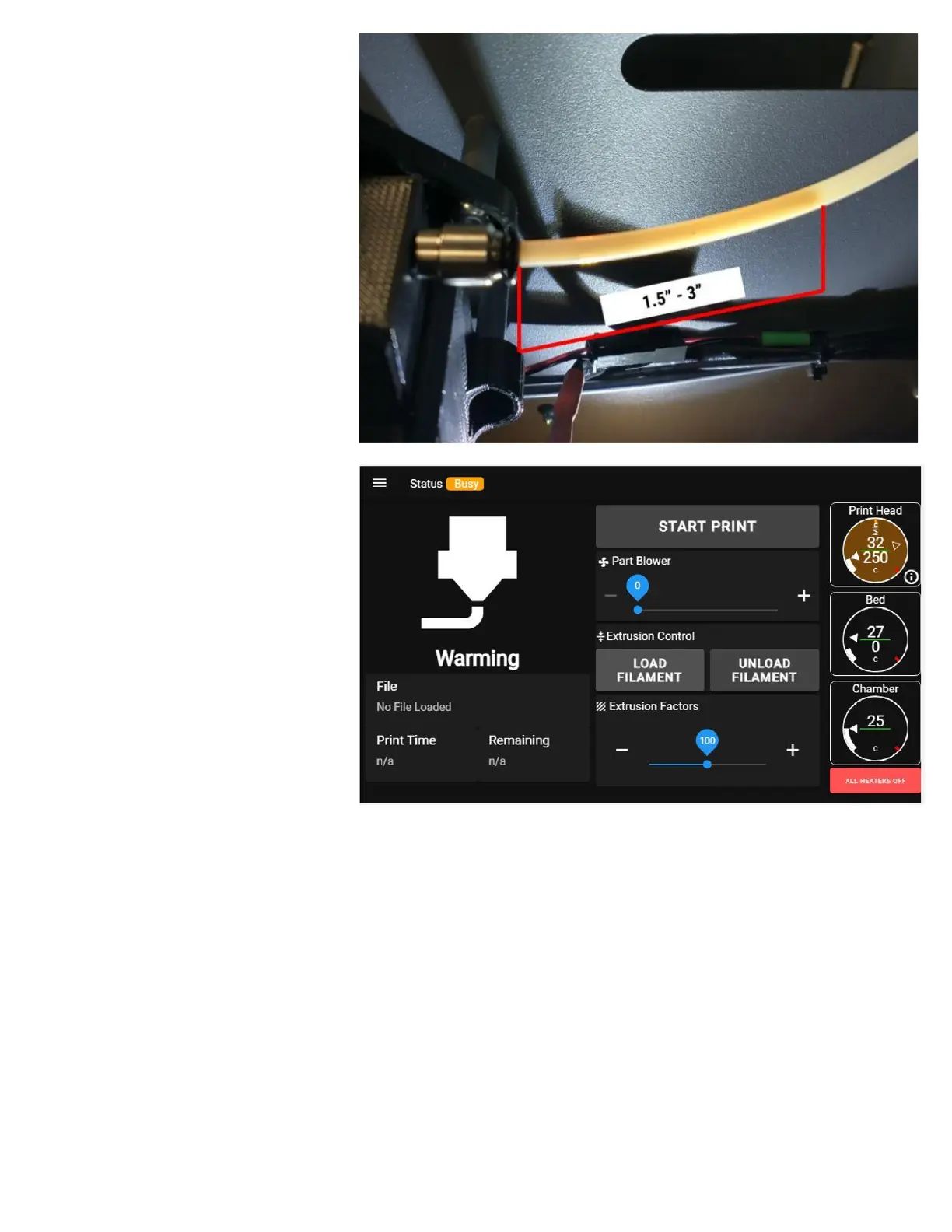
7. Continue to turn the manual
advance wheel until you see the
filament protrude into the bowden
tube at the exit of the extruder.
You need to see 1.5-3 inches
protruding into the tube.
8. On the control panel, select the
"Load Filament" button on the
main screen. The printer will begin
its load filament sequence by
heating the head and moving the
bed down away from the print
head. It can take 1-2 minutes to
heat the print head and it will look
like nothing is happening; please
be patient.
9. Once the head is up to
temperature, the extruder will
begin to feed filament through the tube and up to the print head. Once the filament reaches the print
head, it will extrude out several feet to clear out any old material that might be loaded into it.
10.After the load is complete, the extruder will reverse slightly and the print head will shut off. CAUTION:
The head will remain hot for several minutes.



 To Next Page