8M093X01 R1.0 13
Status Lights
The relay outputs on the DVR-LX can be programmed to provide several status
indications – ‘Primary Light’, ‘VR On Light’, ‘LOC Mode Light’, or ‘SYS Mode Light’.
Primary & On Lights
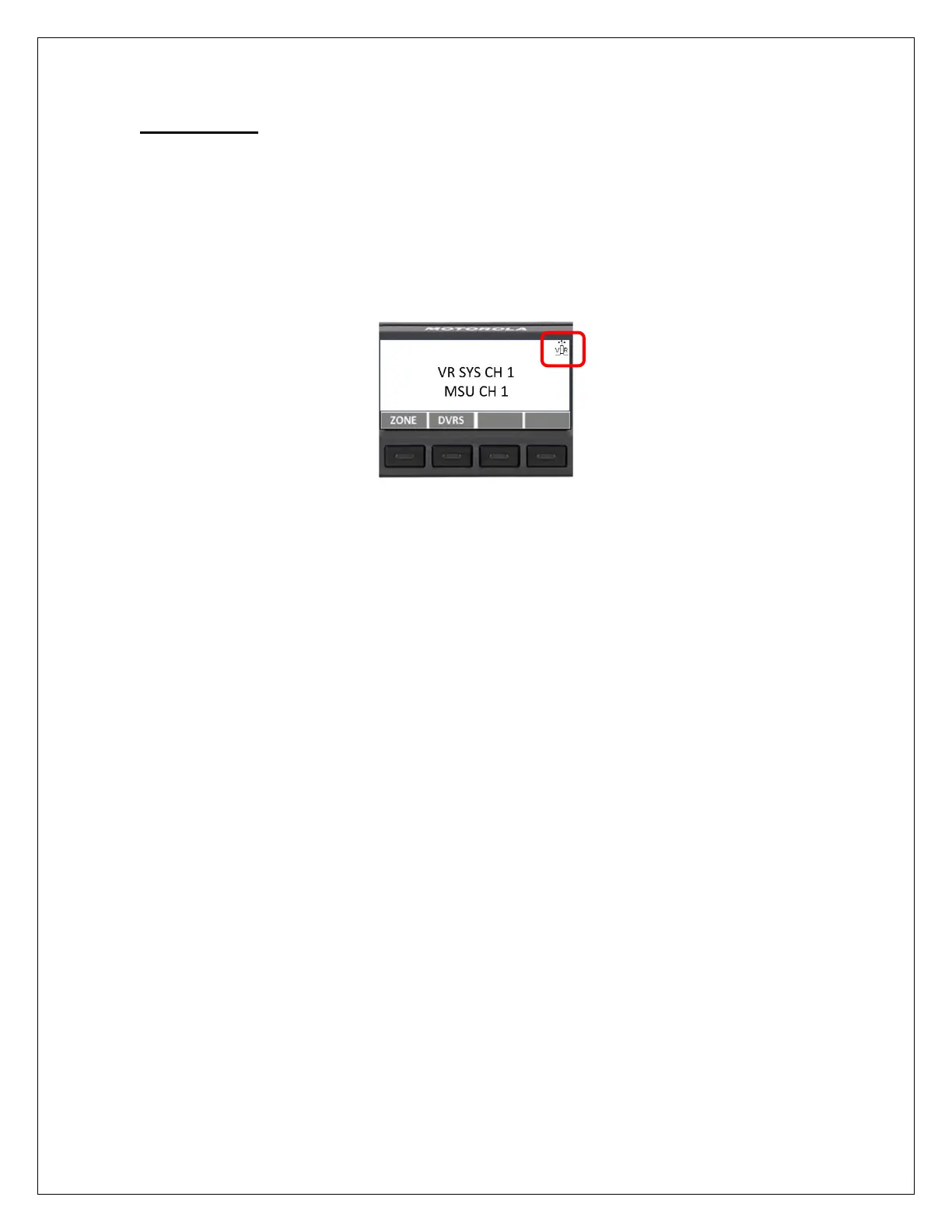
The DVR-LX status icon located on the top right corner of the control head can be used
to determine when the repeater is on and whether it is acting as a Primary or Secondary
device. Due to the limited space on the control head, the icon is quite small and some
users may prefer to have a more obvious light indication of the DVR-LX status.
Figure 4: Control Head Display – Status icon
A pair of lights may be connected to the AUX port with the light colour used to indicate
whether the DVR-LX is on (Secondary mode), and when it is in Primary mode.
For example, if a red light is connected to Relay 2 and a yellow light is connected to
Relay 3, the following light combinations will be seen:
Primary DVR-LX – Red and Yellow lights
Secondary DVR-LX – Yellow light only
To enable the lights operation, the following must be configured via FRC in the
Hardware Setup menu:
• External Master Light = checked (enabled)
• Relay Use-> Relay 2 = Master Light
• Relay Use-> Relay 3 = VR On Light



 To Next Page