Printer Cleaning Guide
(GEN2™, GEN2 Universal™, and GEN3 Evolution® Printers)
2010 – 2012 FutureLogic, Incorporated. All Rights Reserved. PUBN Page 6 11/14/2012
MNL-000054 REV.D
Manual Cleaning Method
Use these procedures for manually cleaning the Paper Path. Perform these steps every six (6) months
or as necessary.
Note: Steps 1 and 2 apply only if the
printer is in a game.
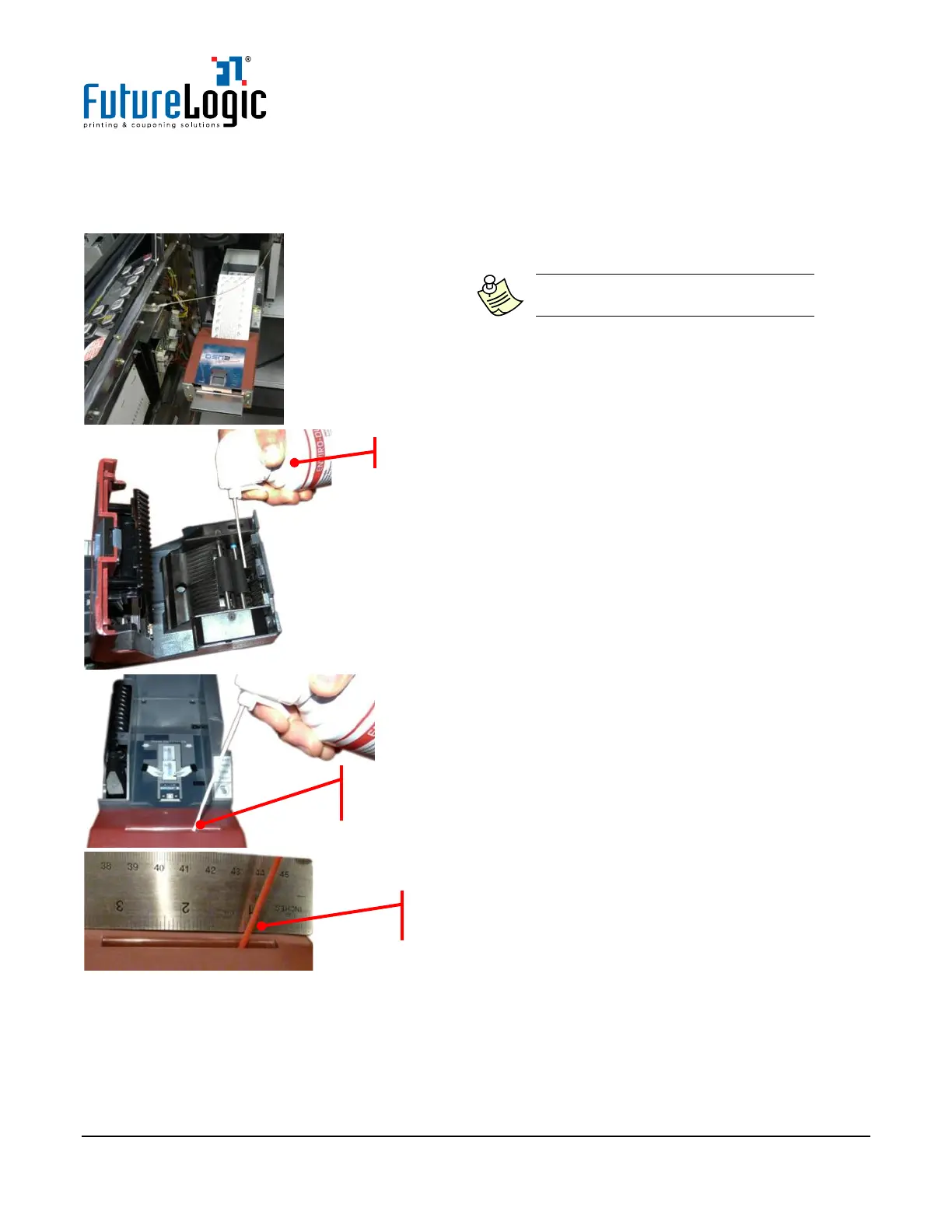
1. Slide the printer out.
2. Remove any loaded tickets from the printer.
3. Use compressed air to blow out any excessive
dust and dirt in the presenter compartment,
including the Presenter Rollers and Ticket
Taken Sensor, etc.
4. Position the compressed air nozzle within the
Paper Loading Slot to blow out any excessive
dust and dirt from the Paper Out (Black Index
Mark) Sensor (not visible).
The position of the compressed air nozzle is
approximately 1 inch from the right side of printer.



 To Next Page