
 Need help?
Do you have a question about the G-Lab GSC-4 and is the answer not in the manual?
Read and follow all safety instructions to prevent damage or injury.
Device complies with FCC rules, subject to interference conditions.
Product conforms to EC Council Directives and relevant safety standards.
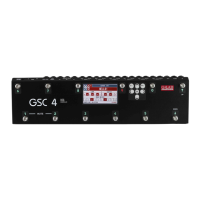
Lists and describes the physical components and connections of the GSC-4.
Explains the function and layout of the GSC-4's control keyboard.
Details the primary display interface of the GSC-4, its sections, and indicators.
Explains the menu screen for settings and message screen for warnings.
Details the text and number keyboards for input and editing on the display.
Explains how to turn on the GSC-4 and describes the main display elements and their states.
Details how to recall presets and switch between banks using the footswitches.
Discusses the basic operation of the controller's hardware components like loops, switch outs, and MIDI.
Guides on programming presets, MFS modes, bank/MFS names, loop, and switch sections.
Explains how to configure MIDI OUT functions, including device setup and control change.
Details expression pedal setup, calibration, characteristic settings, and transmission period.
Covers MIDI IN, WAH PADS, SWITCH OUT modes, CLICK PROTECTION, LOOPS SLIT, FACTORY SETTINGS, USB, and ABOUT GSC.
Details the wiring specifications and connection for passive expression pedals.
Explains how to use SW1-6 OUTs for controlling amp channels and other functions.
Covers connecting WAH PADS and powering the controller via MIDI connectors.
 General
| Brand | G-Lab |
|---|---|
| Model | GSC-4 |
| Category | Accessories |
| Language | English |

 To Next Page