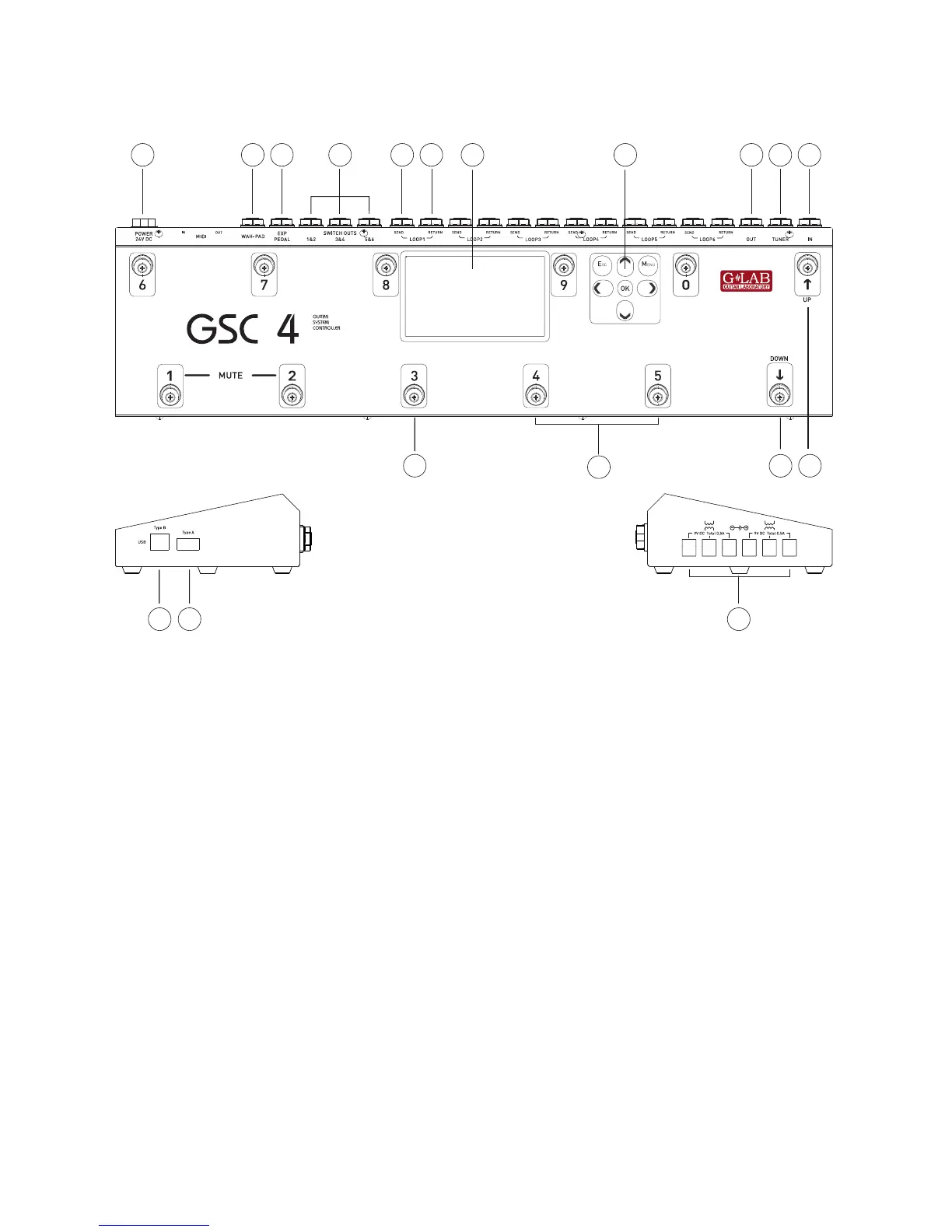
1-24VDCpowerconnection.
2 - WAH-PAD input.
3 – EXPRESSION PEDAL input.
4 - SW1&2, SW3&4, SW5&6 outs for amp
controlling.
5 – EFFECT LOOP SEND output (connect to
effect input).
6 – EFFECT LOOP RETURN input (connect
from effect output).
7 – TFT Display.
8 – GSC-4 programming keyboard.
9 – MAIN-OUT (signal output).
10 – TUNER output.
11 –MAIN IN (signal input).
12 – PRESET/BANK UP foot switch.
13 – PRESET/BANK DOWN foot switch.
14 – MFS foot switches.
15 – MFS state indicators.
16 - USB B type connection.
17 - USB A type connection.
18-9VDCoutputsforpoweringeffects.
1.1 Basic Elements


 To Next Page