12 user manual GSC_4
2.2 MENU screen
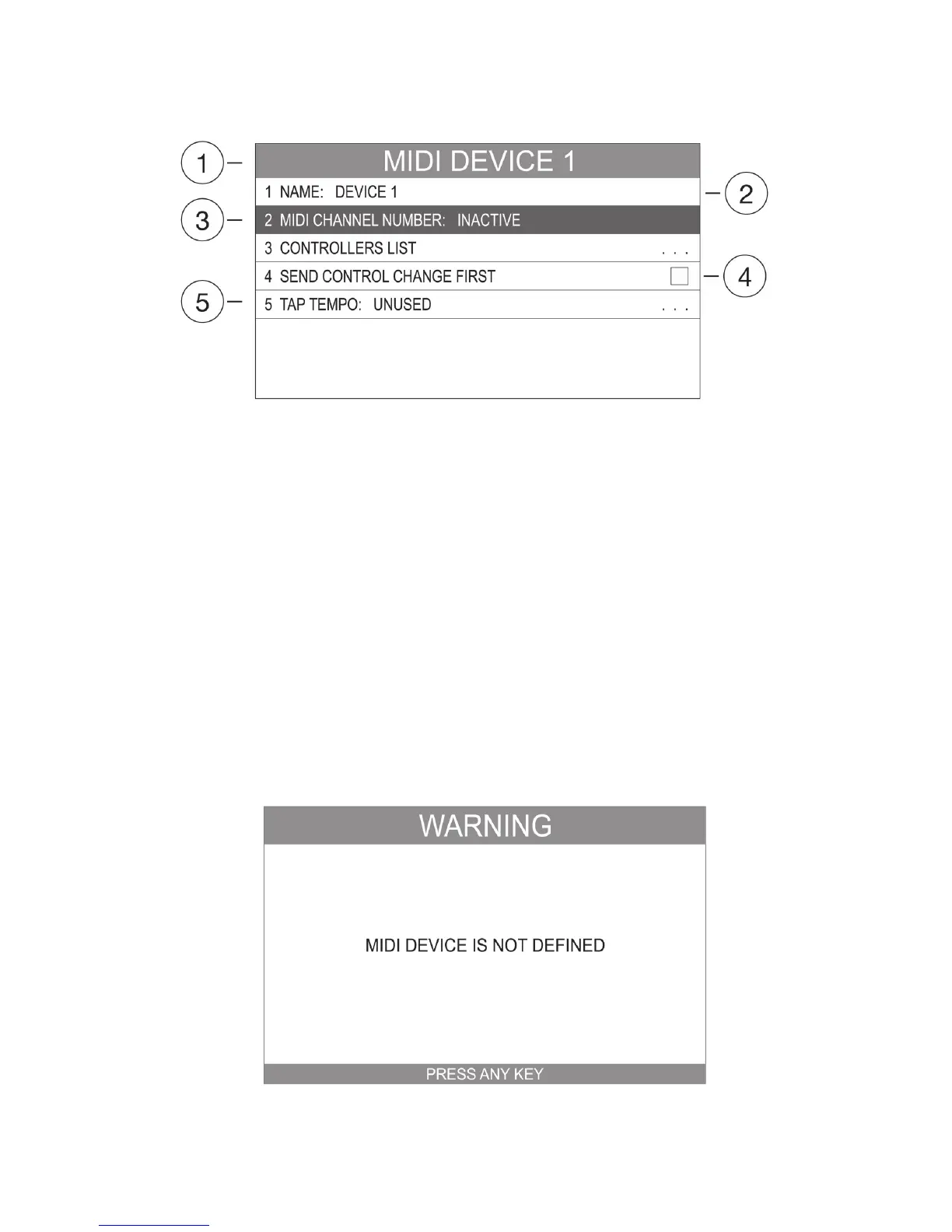
Figure. 2.2.1 MENU screen
1 – Menu’s name field.
2 – Field’s type for enter to the on-screen keyboard.
3 – Selected field.
4 - Field’s type for editing.
5 - Field’s type for in-depth view of the menu options.
This window is displayed in the SETTINGS PROGRAMMING. It is built almost always in the same way (The
only difference refers to the functions name and the field’s quantity including their designations). Use
the keyboard UP and DOWN arrows to move between MENU fields. Use OK for entering/change chosen
function and ESC to go out.
2.3 Message screen
The MESSAGE SCREEN will inform in regards to any warning and other important messages. (Press any
key to quit).


 To Next Page