10 user manual GSC_4
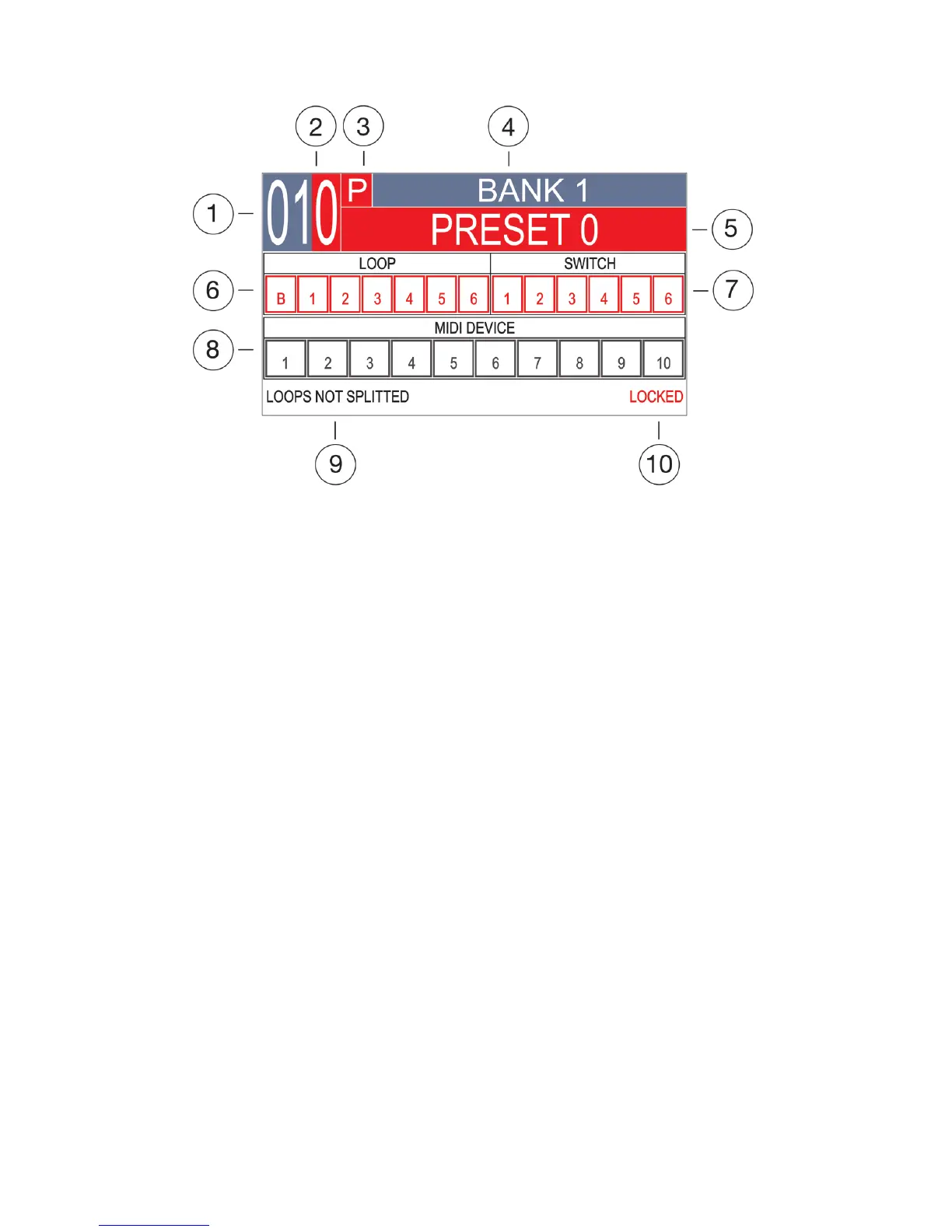
The GSC-4 uses a highly intuitive TFT display interface.
Most of navigation is carried out in similar screens and covered by similar mechanisms.
1 – Bank number.
2 – Selected MFS number.
3 – MFS type.
4 – Bank name.
5 – Selected MFS name.
6 – LOOP section with LOOPS and BUFFER indicators.
7 - SWITCH section with relays indicators.
8 - MIDI section with indicators for all 10 MIDI devices.
9 – LOOP SPLIT mode indication.
10 – Indication of Locking/Unlocking the programming mode.
The main screen is the basic view that is visible while playing and programming presets most of the
time.
2.1 Main screen


 To Next Page