G-PLAY Installation Guide
Pa
e 7
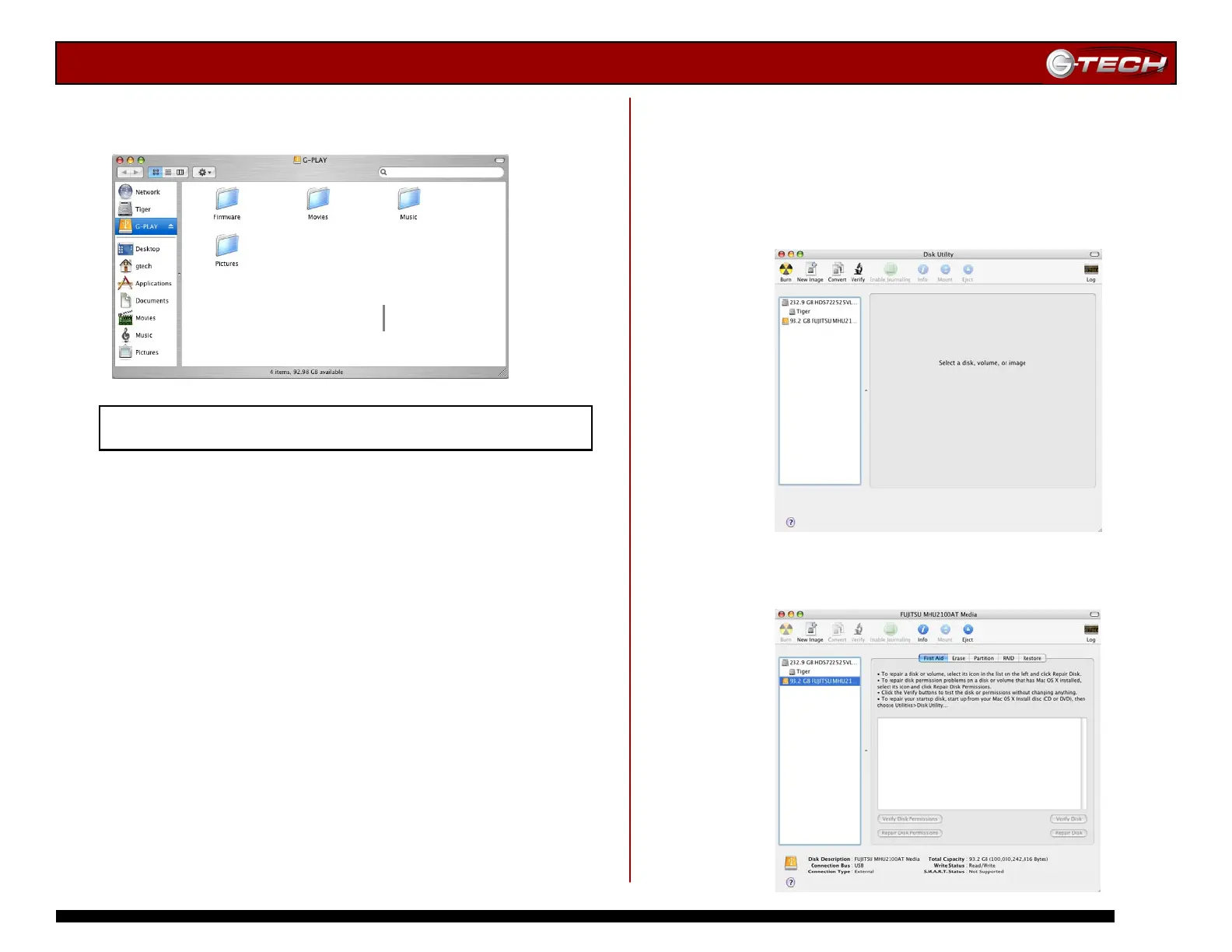
Four folders have been created on G-PLAY at the factory.
These folders are shown below:
Proceed to Section 10 – Loading G-PLAY with Content
If it becomes necessary to re-initialize G-PLAY for
Mac OS X, follow the instructions below.
1. Open the Apple Disk Utility. The Apple Disk Utility is in
the Utilities Folder located in the Applications Folder on
the Macintosh HD. A window like the following will appear.
G-PLAY will be displayed in the left-hand column.
2. Select G-PLAY by clicking on the entry in the
left-hand column as shown below.














 To Next Page