G-PLAY Installation Guide
Pa
e 8
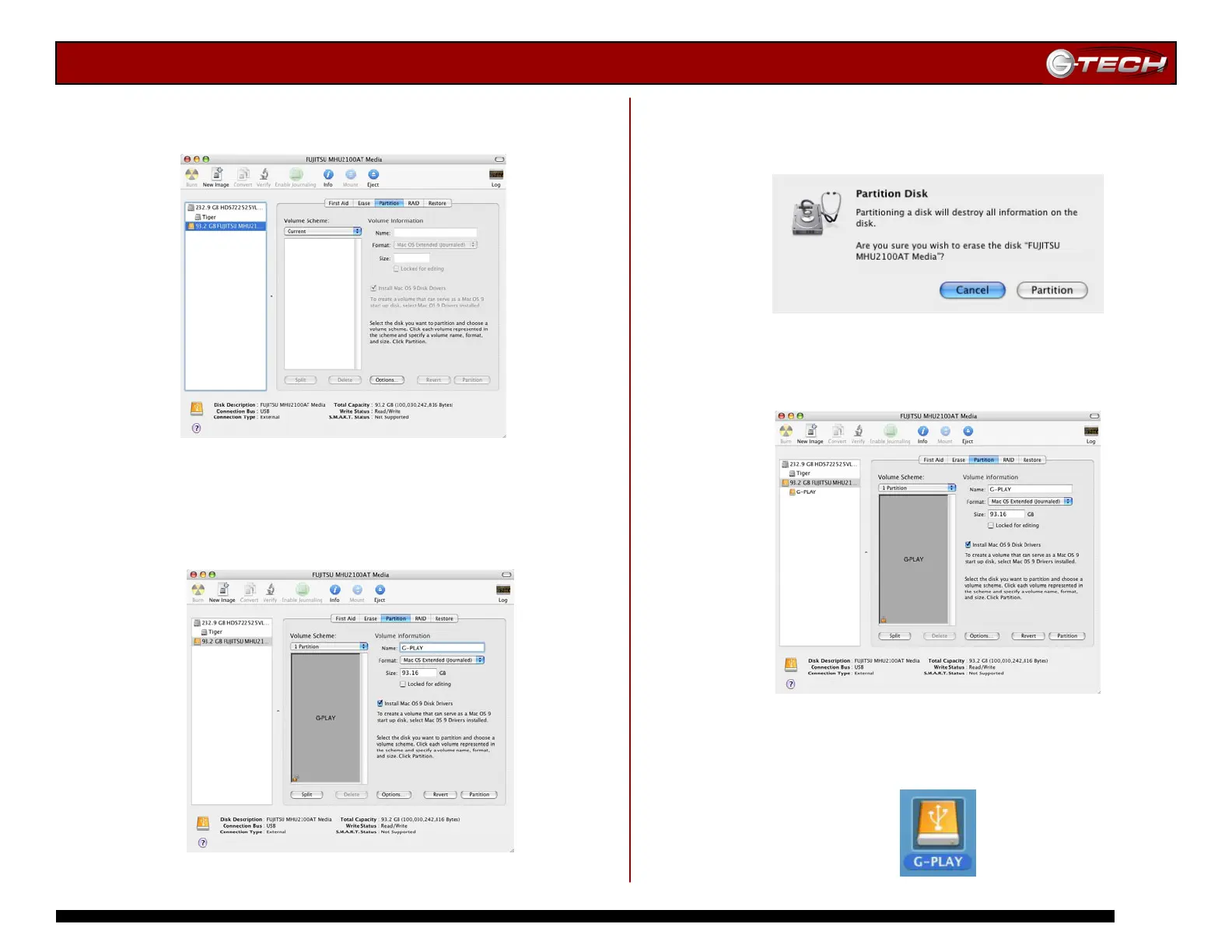
3. Select the Partition tab to view the partition options as
shown below.
4. Set the Volume Scheme: to 1 Partition. Enter a Volume
Name: under Volume Information (in this example,
G-PLAY) and set format to Mac OS Extended as shown
below.
5. Click on the <Partition> button. The dialog box shown
below will appear. Click on the <Partition> button to
continue.
6. When partitioning is complete, G-PLAY will be displayed
in the left-hand panel as shown below.
7. Exit the Apple Disk Utility.
8. G-PLAY will be displayed on the desktop as shown below.















 To Next Page