Pilot’s Guide G7490-07
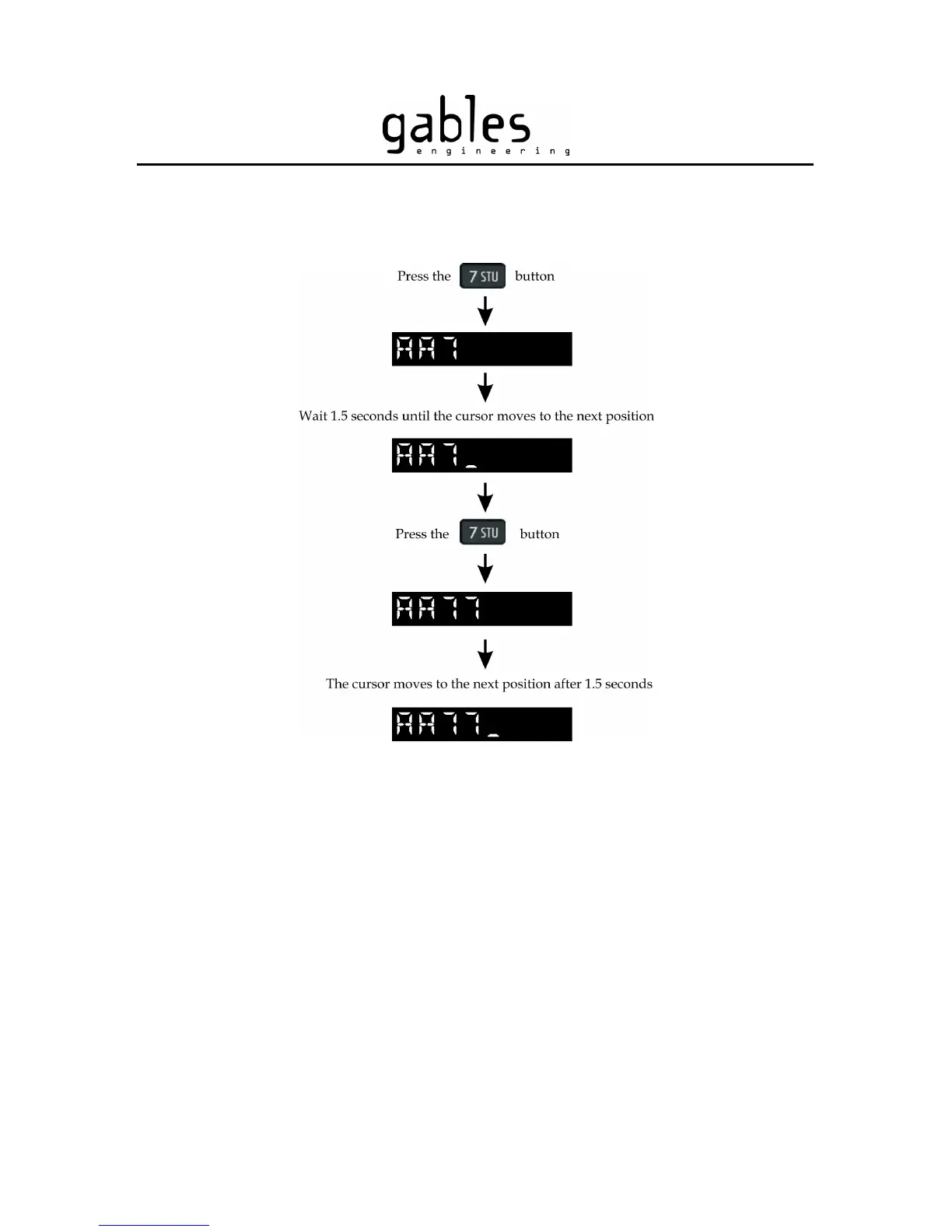
Figure 13 – Entering the same numeric character twice
4) The airline Call Sign (first alpha characters) is retained in memory. If only
the numeric portion of the code needs to be changed, there is no need to
completely clear the display by pressing the CLR button for 2 seconds.
5) To enter a new Flight Number (without changing the Call Sign), simply
enter the new alphanumeric characters using the keypad buttons (refer to
paragraph 2 and paragraph 3 above). See Figure 14. If you enter a wrong
digit, momentarily press the CLR button to go back one position.
G7490-07 Pilot’s Guide Rev 01
COPYRIGHT © Gables Engineering, July 28, 2004
Page 11 of 17


 To Next Page