Pilot’s Guide G7490-07
ABV
In the ABV (Above) position the TCAS system is ON and both Traffic and
Resolution advisories are allowed. The TCAS system will only display and provide
traffic information for targets located between 9900 feet above and 2700 feet below
your aircraft (+9900 ft and -2700 ft relative to your aircraft). Refer to “Selecting the
Altitude Display Mode” below for more details.
BLW
In the BLW (Below) position the TCAS system is ON and both Traffic and
Resolution advisories are allowed The TCAS system will only display and provide
traffic information for targets located between 2700 feet above and 9900 feet below
your aircraft (+2700 ft and -9900 ft relative to your aircraft). Refer to “Selecting the
Altitude Display Mode” below for more details.
TEST Button
Press the TEST button to initiate a functional test. See “Panel Operation” below for more
details.
Panel Operation
Initiating a Functional Test
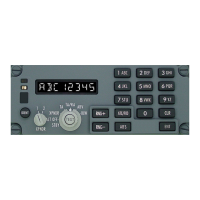
Momentarily press the TEST button to initiate a Functional Test. The control panel will
complete a self-check and initiate a test for the transponders and the TCAS computer.
During a functional test the control panel indicators and display segments are all
illuminated for approximately three seconds. After three seconds the display shows
“CP1 PASS” and “CP2 PASS” in a sequence that depends on the position of the
Transponder Select Knob. Refer to Figure 2 and Figure 3. The display will show
“CP FAIL” if a failure is detected within the control panel. Other possible test sequences
will occur if one of the two sides (1 or 2) is not energized (i.e.: If one of the circuit
breakers is pulled) or in the event of a communication failure between the two sides.
Refer to Figure 4, Figure 5, Figure 6, and Figure 7 for examples. If the selected side is not
energized (power loss), the XPNDR FAIL indicator illuminates and the display is
blanked.
G7490-07 Pilot’s Guide Rev 01
COPYRIGHT © Gables Engineering, July 28, 2004
Page 4 of 17


 To Next Page