DAILY USE:
AUTOCLAVE START UP
8
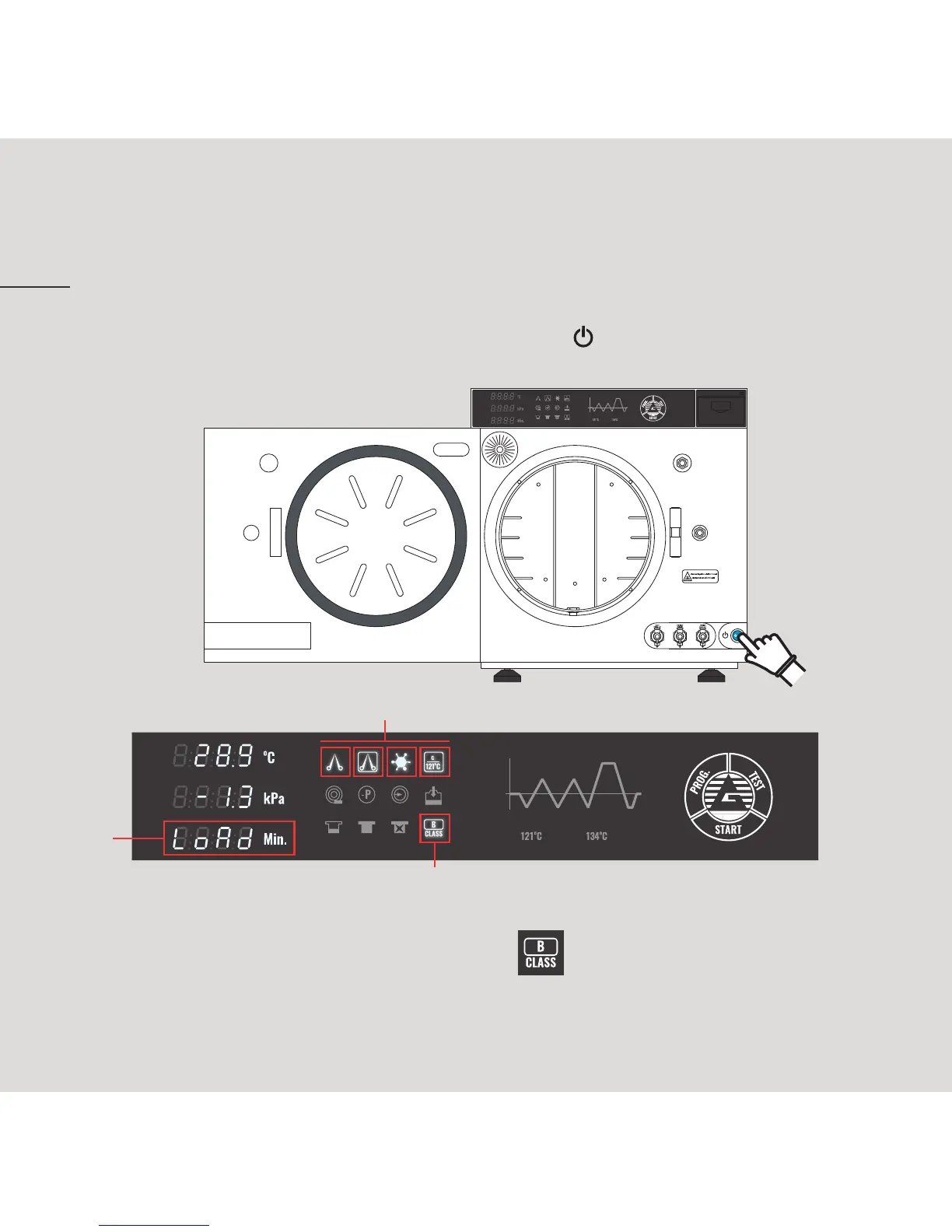
II. When it starts, the display will always show the flashing writing «Load»
¹
and the indicator of class B Prima autoclave
²
will be lightening
accompanied by a short sound. Moreover, the indicator corresponding
to the last selected program will lighten on the display
³
.
I. Open the door and then press the starting button in the corner down
at right on the frontal side of sterilizer.
3
2
1


 To Next Page