50
Insert or Replace Batteries
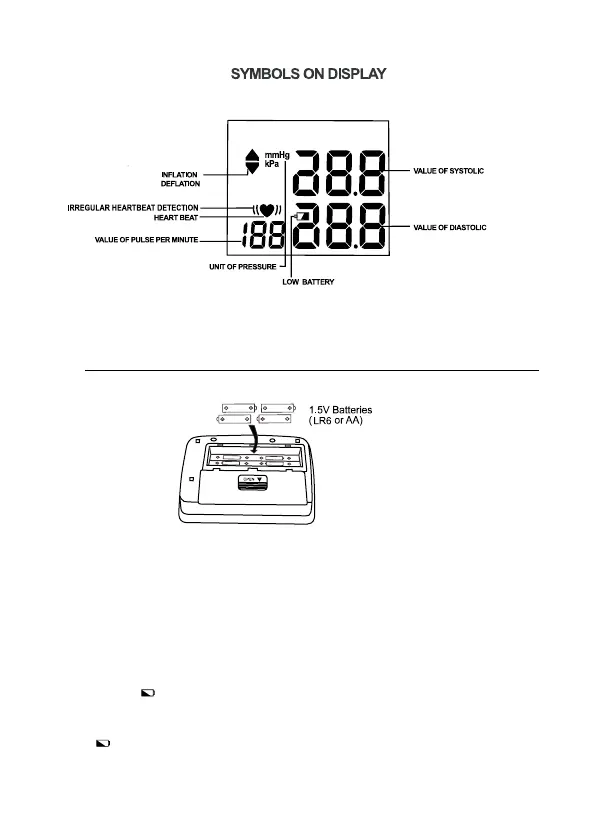
1. Remove the battery cover.
2. Insert new batteries into the battery compartment as shown, taking care
that the polarities (+) and (-) are correct.
3. Close the battery cover. Use only LR6, AA batteries.
Disposal of old batteries to the authorized collecting party subject to the
regulation of each individual territory.
CAUTION
• Insert the batteries as shown in the battery compartment.
• When (LOW BATTERY mark) blinks in the display, replace all
batteries with new ones. Do not mix old and new batteries. lt may
shorten the battery life, or cause the device to malfunction.
• (LOW BATTERY mark) does not appear when the batteries run out.
• Battery life varies with the ambient temperature and may be shorter at



 To Next Page