51
EN
low temperatures.
• Remove the batteries if the device is not to be used for a long time.
• The batteries may leak and cause a malfunction.
• Use the specied batteries only. The batteries provided with the device
are for testing monitor performance and may have a shorter life.
NOTE: To prolong the batteries’ life the device switches off automatically
if no button is pressed for 1 minute. Otherwise you can switch it off by
pressing the START button.
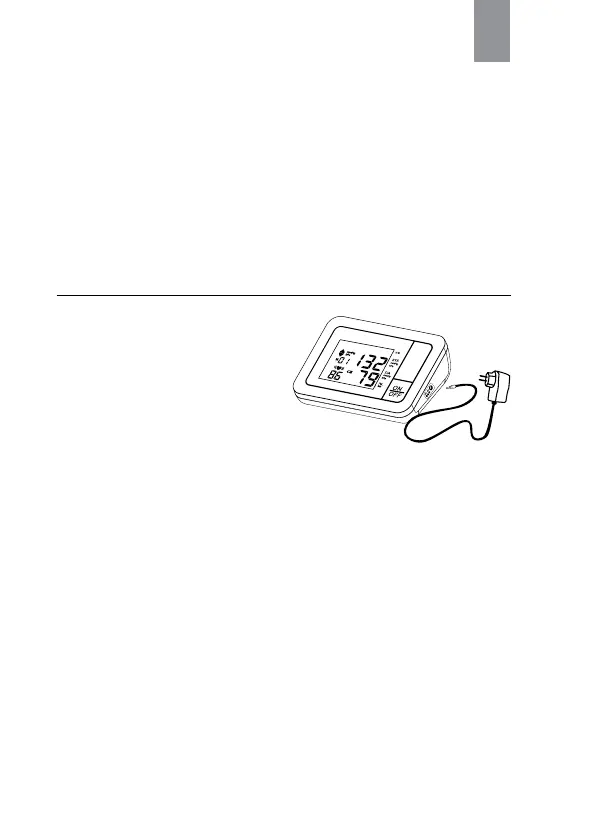
Using a Mains Adaptor.
(Option to purchase additional)
It is possible to operate Automatic
Blood Pressure Monitor Model
Control with a mains adaptor (output
6 V DC/ 500 mA).
1. Connect the micro plug to the
socket at the device right side.
2. Plug the mains adapter (output 6
V DC/ 500 mA) to a 100-240 V
electrical power socket.
NOTE:
• Please use the adaptor of Trademark Gamma
®
. Any other adaptor being
used, the service center is not considered responsible for the warranty
servicing/repair of the monitor.
• No power is taken from the batteries while the mains adaptor is con-
nected to the device.
• Please consult service center if you have questions relating to the mains
adaptor.



 To Next Page