CUSTOMIZATION OF THE GROUPS
1
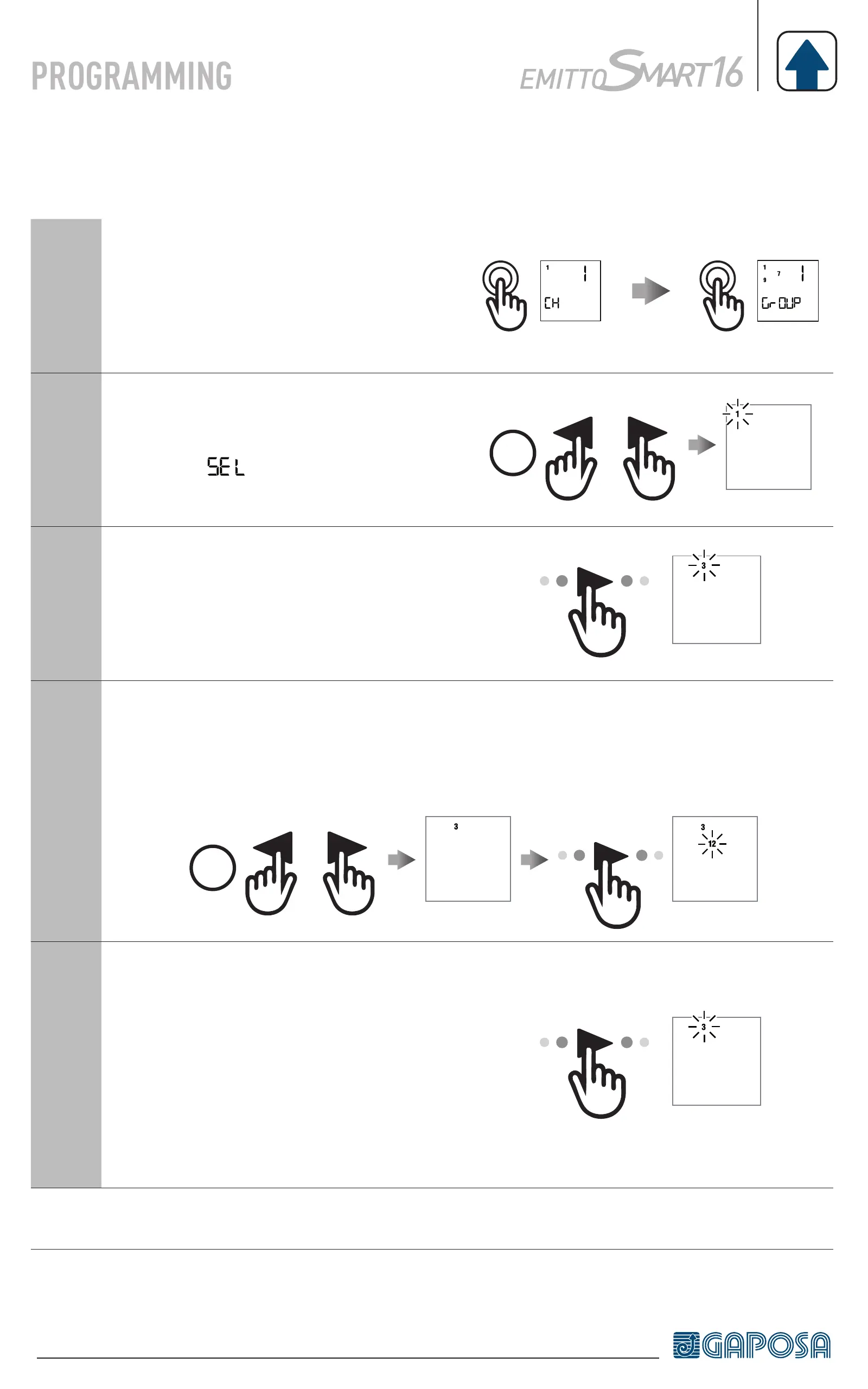
Briefly press the circle button to enter
in group control mode
2
To create a group press both arrow
buttons (◄ + ►) for 2 seconds.
The icon
appears and channel 1
starts flashing.
2”
1
SEL
3
Using the arrow buttons (◄ / ►),
scroll to the channel to be set into the
group
3
SEL
4
Press for 2 seconds both arrow buttons (◄ + ►) to select the channel.
Repeat point 3 and 4 to add other channels in the same fashion.
2”
3
SEL
12
SEL
5
When all the desired channels of the
group are set press the UP, STOP or
DOWN button to confirm the group.
The group is identified by a number.
The group you set takes the first
number available in progressive
fashion from 1 to 8.
3
SEL
Note: up to 8 groups can be created.


 To Next Page