43
ELECTRIC CONVECTION OVENS
EN
100
000
08
00
SWITCHING ON/OFF
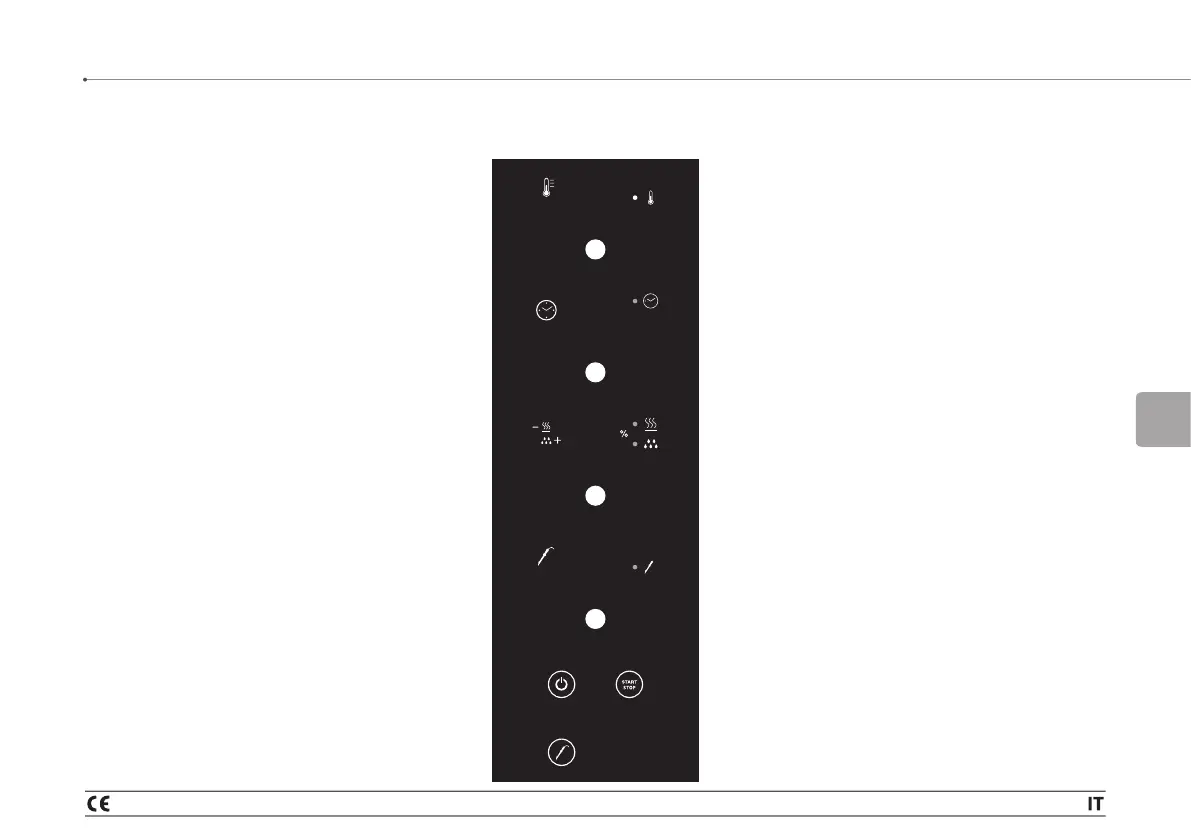
When power is connected, the panel shows the
software version message for a few seconds. Then
the oven switches itself OFF, the LED on the time
display lights up and the oven remains in standby
Pressing ON/OFF:
turns on the panel:
all the displays come on while waiting for the set point
to be entered:
default temperature 100 °C,
default timer 000,
default humidity 0.
Once the temperature has been set by turning the
corresponding knob, the display continues to flash for
15 seconds and then accepts the data entered, unless
another knob is turned, in which case the data is
accepted immediately and the display on the second
knob flashing while waiting for the set point.
Once the time has been set by turning the
corresponding knob, the display continues to flash
for 15 seconds and then accepts the data entered,
unless another knob is turned, in which case the data
is accepted immediately and the humidity display
flashes automatically.
Once the humidity data has been set by turning the
corresponding knob, the display continues to flash for
15 seconds and then accepts the data entered.
During the cooking cycle, it is possible, while altering
the set parameters, turning the corresponding
knob (temperature, time, humidity), to change the
parameters, waiting for 15 seconds or turning a knob.
If the oven is in stop mode and no operation is
performed for more than 15 minutes, the oven
automatically switches off as if the OFF button had
been pressed.
The ON/OFF button is disabled during a cooking
cycle. To make it active, you must first press the
START/STOP button.
When the oven goes off, either because the ON/OFF
button has been pressed or at the end of a cooking
cycle, the last set parameters are stored for 5 minutes.
5 minutes after switch-off, the panel returns to the
initial data entry mode when switched back on.
START/STOP BUTTON
Pressing START/STOP:
starts the cooking cycle. The internal light comes on.
The temperature display changes from showing the
set point to showing the chamber temperature and the
corresponding LED lights up until the set point is reached.
It goes off beyond the set point and comes back on again
below the set point.
The timer display changes from showing the set point
to showing a countdown and the corresponding LED
flashes, stopping flashing at the end of the time.
The humidity display remains fixed at the value set and
the corresponding LED lights up when humidification is
activated. If not activated, the core probe display remains
in a fixed position.
3 - THIRD PART_Operating instructions



 To Next Page