10
Loading Files on Your nüvi
1. Connect the USB cable to the mini-USB
connector on the nüvi and to an available
USB port on your computer. Your nüvi’s
internal memory and SD card appear
as removable drives in My Computer on
Windows
®
computers, and as mounted
volumes on Mac
®
computers.
2. Copyandpastelesfromyourcomputer
into the nüvi drives/volumes.
3. Whenyouarenishedtransferringles,
click the Eject icon or drag the volume
icon to the Trash.
4. Unplug your nüvi.
Listening to MP3 Files
1. LoadMP3lestotheinternalmemoryor
SD card.
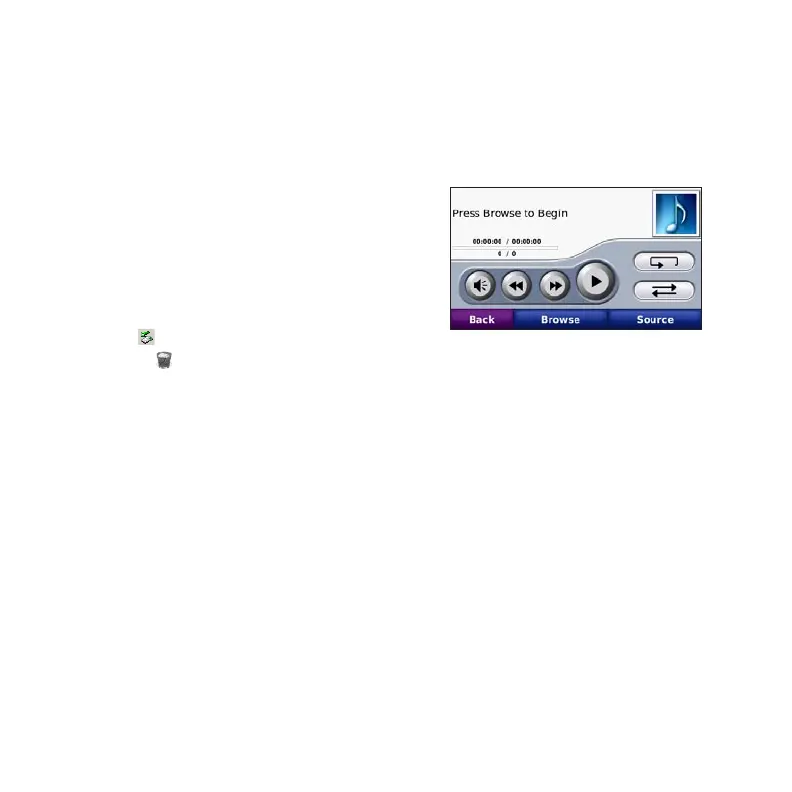
2. Touch Tools > Media Player. Touch
Source to open the music player.
3. Touch Browse.
4. Touch a category.
5. To play the entire category from the
beginning of the list, touch Play All. To
playaspecicsong,touchthetitle.
To create, edit, and listen to playlists, touch
Browse > Playlist.









 To Next Page