8
Using MSN
®
Direct
The MSN Direct Receiver and nüvi must be
in range of an MSN Direct coverage area.
See http://garmin.msndirect.com/coverage
for more information on coverage areas.
Receiving Content
It can take several hours to receive all the
content the rst time you use it, after you
have traveled long distances, or after you
have not used your nüvi and MSN
®
Direct
Receiver for several days.
There is a rechargeable (non-user-
replaceable) battery in the MSN Direct
Receiver that allows it to receive and store
updates for several days, even when not
connected to external power.
NOTE: Garmin is not responsible for the
accuracy of the MSN Direct content.
MSN Direct Menu
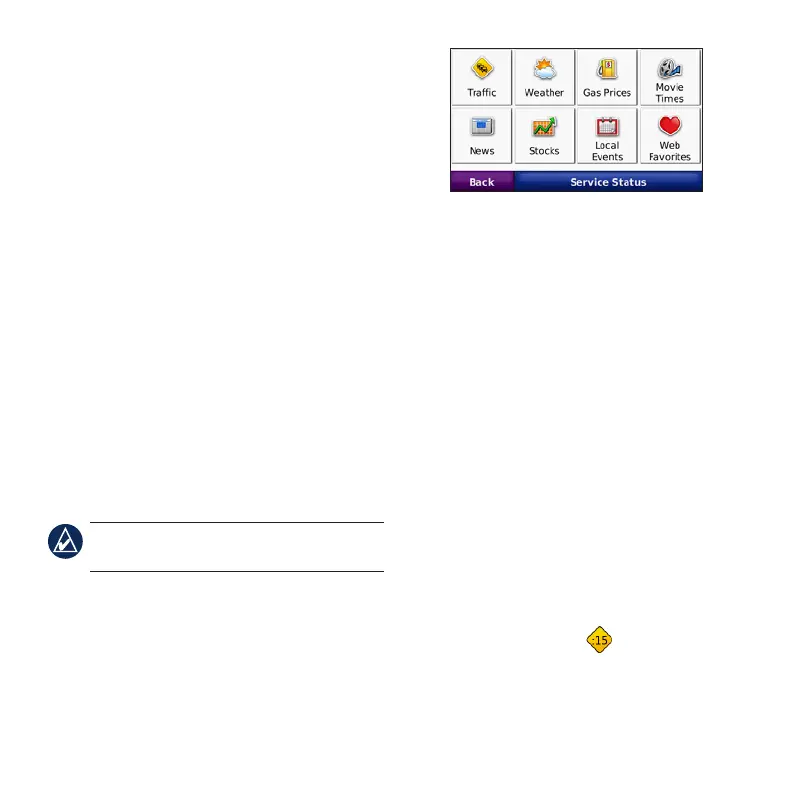
To view MSN Direct content, from the
Menu page, touch Tools > MSN Direct.
Touch a category to view information for it.
Trafc
MSN Direct provides local trafc
information for a large number of
metropolitan areas. To learn more about
the type of trafc data available in your
area, visit http://garmin.msndirect.com/
NavigationTrafcCoverage.html.
When calculating your route, the nüvi
examines the trafc delays and optimizes the
route for the shortest time. If a severe trafc
delay occurs on your route and a better
route is available, the nüvi recalculates
the route to avoid the delay. You might be
routed through trafc if it is the best route
available.
The Map page displays when there is
a trafc delay on your route. The number
represents the number of minutes the trafc
will delay your route. The delay time has









 To Next Page