5
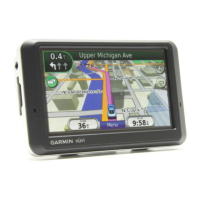
Step 4: Use the nüvi
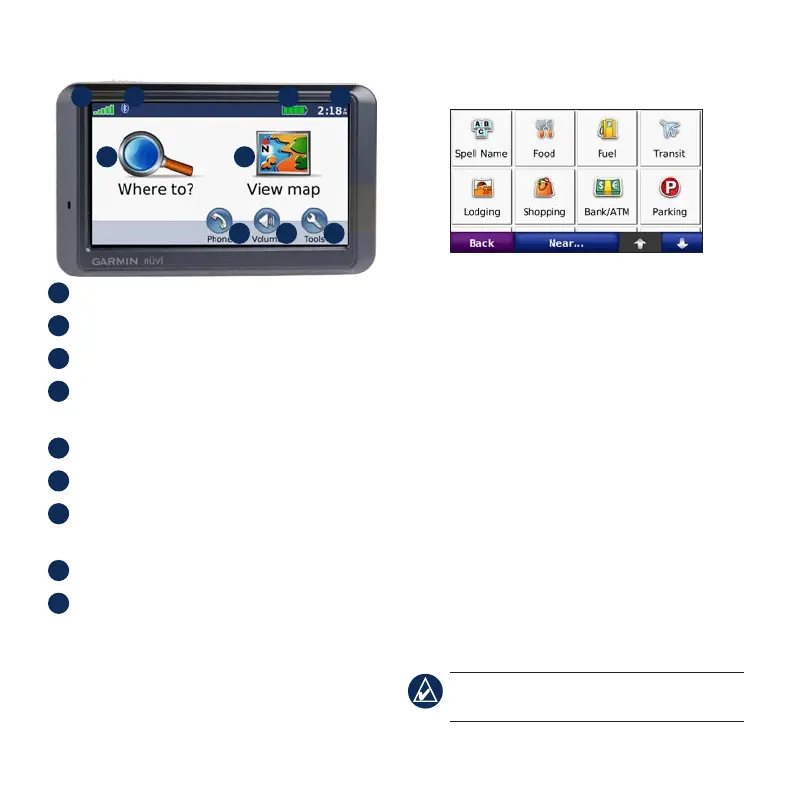
BA C
D
E F
G H I
A
GPS satellite strength.
B
Bluetooth
®
technology status.
C
Battery status.
D
Current time; touch to change time
settings.
E
Touchtondadestination.
F
Touch to view the map.
G
Touch to make a call when connected to
a compatible mobile phone.
H
Touch to adjust the volume.
I
Touch to use the tools such as media
players, settings, and Help.
Finding Points of Interest
1. Touch Where to? > Points of Interest.
2. Select a category and a sub-category.
3. Select a destination, and touch Go.
To enter letters contained in the name, touch
Where to? > Points of Interest > Spell
Name.
To search for a location in a different area,
touch Where to? > Near….
Adding a Via Point
1. With a route active, touch Menu on the
map, and touch Where to?.
2. Search for the via point (extra stop).
3. Touch Go.
4. Touch Add as Via Point.
TIP: To add more than one stop, edit the
current route. Touch Where to > Routes.









 To Next Page