EasyManua.ls Logo

Garmin DA42 G1000 - User Manual

Garmin DA42 G1000
96 pages
Print Icon
To Next Page IconTo Next Page
Loading...
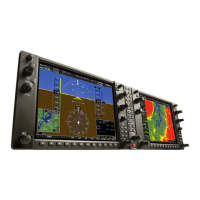
G1000
®
Integrated Flight Deck
Cockpit Reference Guide for the DA42

Table of Contents

Question and Answer IconNeed help?

Do you have a question about the Garmin DA42 G1000 and is the answer not in the manual?

Summary

Flight Instruments

Barometric Pressure Settings

Procedures for setting barometric pressure and units on the PFD.

Engine Indication System

Engine Display Overview

Overview of the ENGINE display showing engine parameters like load, temp, and flow.

System Display Details

Details of the System Display showing electrical, gearbox, and coolant data.

Fuel Display Information

Information shown on the Fuel Display, including quantity, flow, and calculations.

Nav;Com;Transponder;Audio Panel

Flight ID and Transponder Code

Procedures for managing flight ID and transponder codes.

Automatic Flight Control System (AFCS)

Flight Director Activation

How to activate the pilot-side flight director modes.

Vertical Autopilot Modes

Descriptions and controls for various vertical autopilot modes.

Lateral Autopilot Modes

Descriptions and controls for various lateral autopilot modes.

GPS Navigation

Direct-to Navigation

How to use the Direct-to navigation function from MFD and PFD.

Flight Plan Activation and Management

Activating, managing, and deactivating flight plans and legs.

Flight Planning

Flight Plan Creation and Modification

Steps for creating and modifying flight plans with waypoints and airways.

Flight Plan Management

Procedures for storing, editing, copying, and deleting flight plans.

Procedures

Departure Procedures

Steps to load and activate departure procedures and legs.

Arrival Procedures

How to load and activate arrival procedures and legs.

Annunciations & Alerts

Summary

Flight Instruments

Barometric Pressure Settings

Procedures for setting barometric pressure and units on the PFD.

Engine Indication System

Engine Display Overview

Overview of the ENGINE display showing engine parameters like load, temp, and flow.

System Display Details

Details of the System Display showing electrical, gearbox, and coolant data.

Fuel Display Information

Information shown on the Fuel Display, including quantity, flow, and calculations.

Nav;Com;Transponder;Audio Panel

Flight ID and Transponder Code

Procedures for managing flight ID and transponder codes.

Automatic Flight Control System (AFCS)

Flight Director Activation

How to activate the pilot-side flight director modes.

Vertical Autopilot Modes

Descriptions and controls for various vertical autopilot modes.

Lateral Autopilot Modes

Descriptions and controls for various lateral autopilot modes.

GPS Navigation

Direct-to Navigation

How to use the Direct-to navigation function from MFD and PFD.

Flight Plan Activation and Management

Activating, managing, and deactivating flight plans and legs.

Flight Planning

Flight Plan Creation and Modification

Steps for creating and modifying flight plans with waypoints and airways.

Flight Plan Management

Procedures for storing, editing, copying, and deleting flight plans.

Procedures

Departure Procedures

Steps to load and activate departure procedures and legs.

Arrival Procedures

How to load and activate arrival procedures and legs.

Annunciations & Alerts

Garmin DA42 G1000 Specifications

General IconGeneral
Display Size10.4 inches
Resolution1024 x 768 pixels
Display TypeLCD
Primary FunctionPrimary Flight Display (PFD) and Multi-Function Display (MFD)
ManufacturerGarmin
CategoryAvionics Display
AircraftDiamond DA42
SystemG1000
Power Requirements28 VDC

Related product manuals