Starting the E Trex
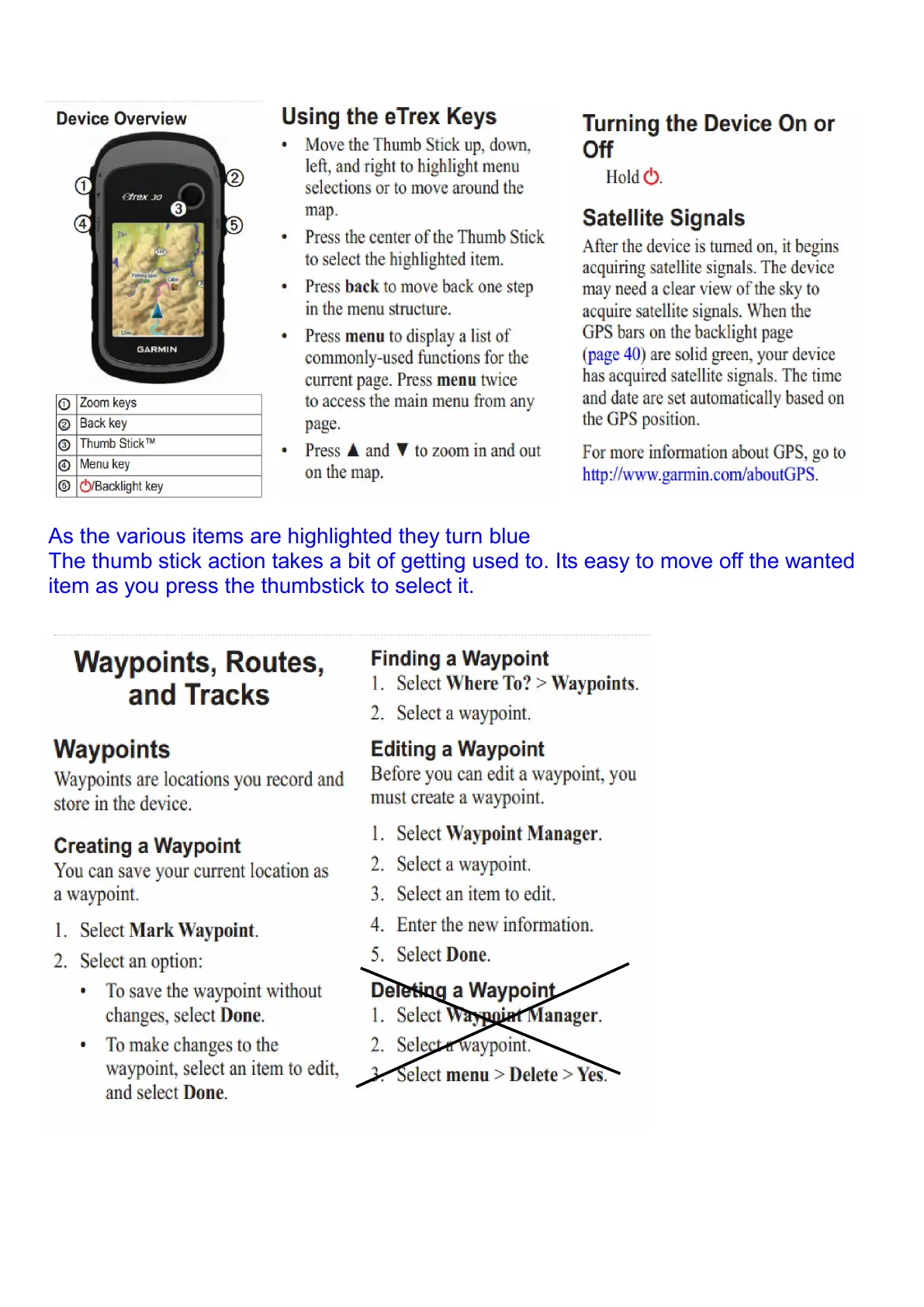
As the various items are highlighted they turn blue
The thumb stick action takes a bit of getting used to. Its easy to move off the wanted
item as you press the thumbstick to select it.
You could use Mark Waypoint to mark where you are in the bush. If you don’t give it a
name you will have to remember its ID number for future reference.
Don’t delete any waypoints. You may accidentally delete an important one.



 To Next Page