Introduction
WARNING
See the Important Safety and Product Information guide in the product box for product warnings and other
important information.
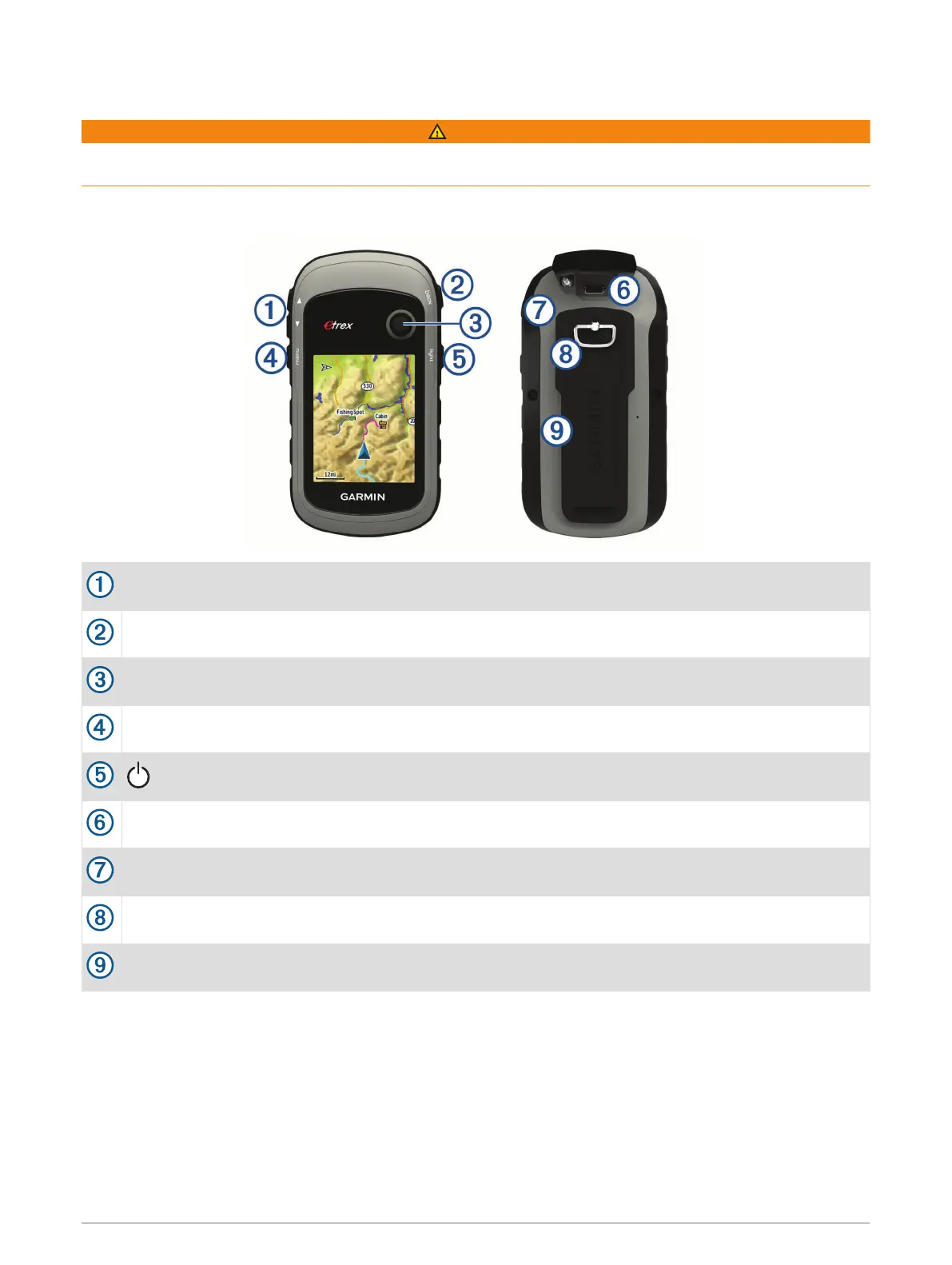
Device Overview
Zoom keys. Press to zoom in and out.
Back key. Press to return to the previous menu.
Thumb Stick
™
controller. Move directionally to scroll or highlight an item. Press to select an item.
Menu key. Press to open the menu for a page. Press twice to return to the main menu.
Press to adjust the backlight. Hold to turn the device on or off.
Mini-USB port (under weather cap).
Battery cover.
Battery cover locking ring.
Mounting spine.
Introduction 1













 To Next Page