EasyManua.ls Logo

Garmin eTrex 10 - User Manual

Garmin eTrex 10
168 pages
Print Icon
To Next Page IconTo Next Page
Loading...
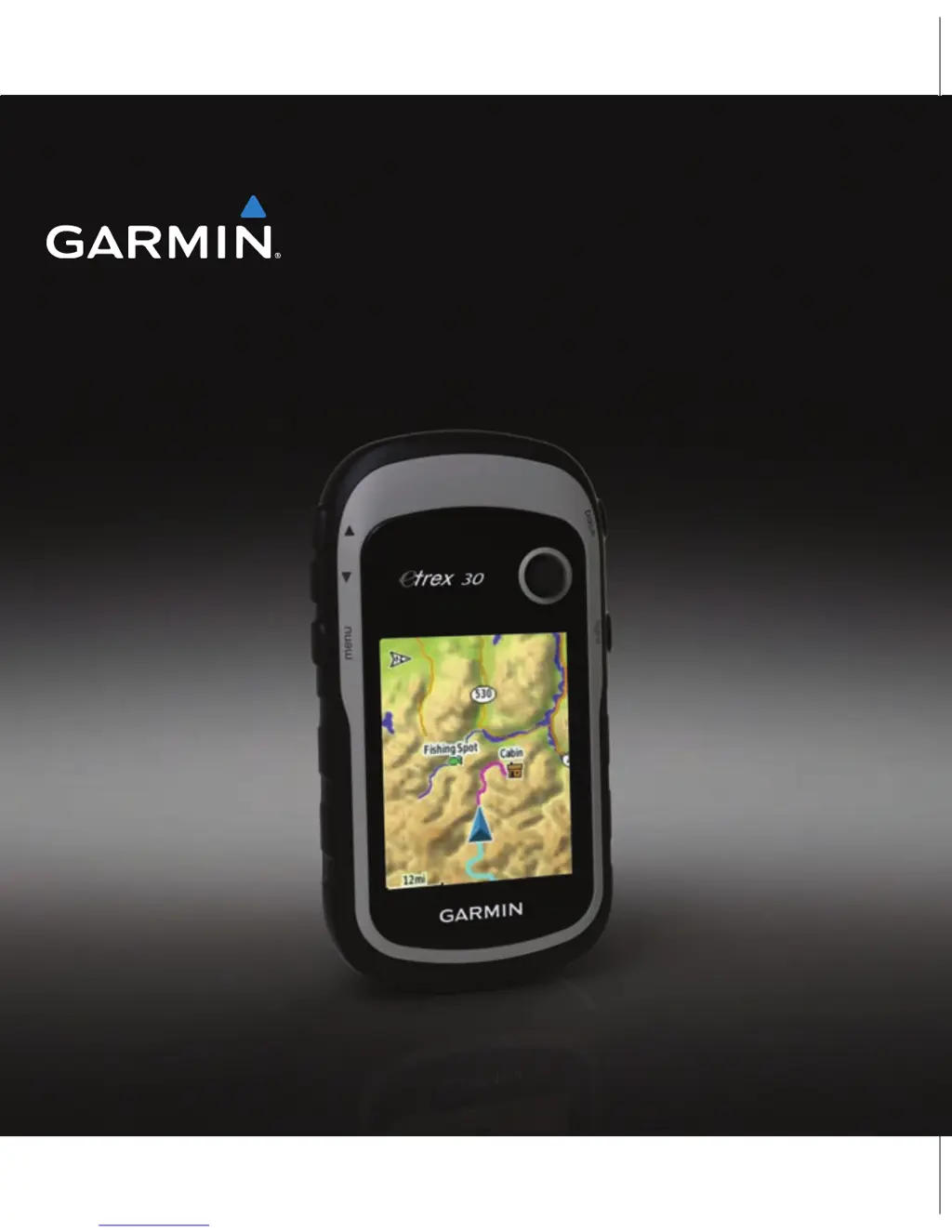
eTrex
®
owners manual
for use with models 10, 20, 30

Table of Contents

Other manuals for Garmin eTrex 10

Questions and Answers

  • T
    Taylor EllisJul 26, 2025
    How to reset a Garmin GPS device that is not responding?
    • R
      Richard MartinJul 26, 2025
      If your Garmin GPS device is not responding, you can try resetting it by removing and reinstalling the batteries. Note that this will not erase any of your data or settings.
  • K
    Kenneth CoxAug 3, 2025
    How to reset Garmin GPS to factory settings?
    • T
      tfoxAug 3, 2025
      To reset all customized settings on your Garmin GPS back to the factory defaults, select Setup > Reset > Reset All Settings on the device.
  • J
    Jennifer MurrayAug 9, 2025
    What to do if my Garmin GPS does not acquire satellite signals?
    • S
      Scott BrennanAug 9, 2025
      If your Garmin GPS device isn't acquiring satellite signals, try the following: 1. Move away from buildings, parking garages, tall buildings, and trees. 2. Turn on the device. 3. Remain stationary for several minutes.
  • R
    robinduncanAug 17, 2025
    How do I know if my Garmin GPS is in USB mass storage mode?
    • R
      Rachel BrownAug 18, 2025
      To determine if your Garmin GPS device is in USB mass storage mode, look for an image of the device connected to a computer on the device's screen. On a Windows computer, a new removable disk drive should appear in My Computer. On a Mac computer, you should see a mounted volume.

Summary

Getting Started

Device Overview and Key Functions

Identifies the device's physical components, buttons, and basic key operations.

Battery Installation and Initial Setup

Instructions for battery installation, powering on, acquiring satellites, and registration.

Getting Started Tasks Checklist

A list of initial tasks to set up and learn device features.

Waypoints, Routes, and Tracks

Waypoint Management

Creating, finding, editing, and deleting waypoints.

Waypoint Accuracy and Sight N Go

Improving waypoint accuracy and using Sight 'N Go navigation.

Finding Destinations with Where To?

Using the Where To? menu to search for addresses, cities, and points of interest.

Routes Creation and Management

Steps to create, edit, view, and delete routes.

Tracks Recording and Management

Recording, saving, viewing, and deleting track logs.

Navigation

Navigating to a Destination

Steps to find and navigate to a chosen destination.

Map Usage and Browsing

How to use the map feature for navigation and browsing.

Compass Operation and Calibration

Using the compass, calibrating it, and navigating with bearing pointers.

Course Pointer Navigation

Navigating to a destination using the course pointer.

Elevation Plotting Features

Viewing and customizing elevation plots.

Altimeter and Trip Computer

Calibrating the altimeter and using the trip computer.

Geocaches

Geocaching Basics and Downloading

Introduction to geocaching and downloading geocaches.

Geocache Filtering and Management

Filtering lists, creating custom filters, navigating, and logging attempts.

Chirp Accessory for Geocaching

Using the chirp accessory for geocaching.

Applications

Sharing Data and Proximity Alarms

Wireless data sharing and setting proximity alarms.

Device Applications: Calculations, Calendars, and Alarms

Using calculator, area calculation, calendar, alarms, and stopwatch features.

Customizing Your Device

Customizing Menus, Pages, and Dashboards

Modifying menus, data fields, and dashboards for optimal device use.

Profiles and System Settings

Creating, managing profiles, and configuring system settings.

Display, Tone, Map, Tracks, Units, Time, Position, Heading, Altimeter, Geocaching, Routing, Marine Settings, Data Reset

Comprehensive settings for display, tones, maps, tracks, units, time, position, heading, altimeter, geocaching, routing, marine, and data.

Page Sequence Management

Modifying the order of device pages.

Device Information

Screen, Backlight, and Software Updates

Adjusting screen settings and updating device software.

Specifications and Battery Care

Device specifications, battery life, and advice on battery care.

Device Care, Storage, and Computer Connection

Guidelines for cleaning, storage, data management, and computer connection.

File Transfer and Deletion

Transferring files to and deleting files from the device.

Appendix

Optional Accessories and Maps

Information on purchasing optional accessories and maps.

Using Fitness Accessories

Pairing and using ANT+ fitness accessories.

Data Field Descriptions

Detailed explanations of various data fields.

Troubleshooting Common Issues

Solutions for common device problems.

Garmin eTrex 10 Specifications

General IconGeneral
Geocaching (GPS stash hunt)Yes
Marine (chartplotters, sounders)No
Routes quantity50
Tracks quantity100
Number of waypoints1000
Map storageInternal storage
Map coverage-
Display diagonal2.2 \
Display resolution128 x 160 pixels
Display size (HxV) (imperial)3.6 x 4.3 \
USB 2.0 ports quantity1
Battery life (max)25 h
InterfaceUSB
Storage media typeFlash
Weight and Dimensions IconWeight and Dimensions
Depth33 mm
Width54 mm
Height103 mm
Weight141.7 g

Videos

How to use a Garmin eTrex 10 GPS receiver

Related product manuals