owner’s manual for use with models 10, 20, 30 5
Getting Started
EN
Battery Information
WARNING
The temperature rating for the
device (-4°F to 158°F, or -20 to
70°C) may exceed the usable range
of some batteries. Alkaline batteries
can rupture at high temperatures.
NOTICE
Alkaline batteries lose a signicant
amount of their capacity as
temperature decreases. Therefore,
use lithium batteries when
operating the device in below-
freezing conditions.
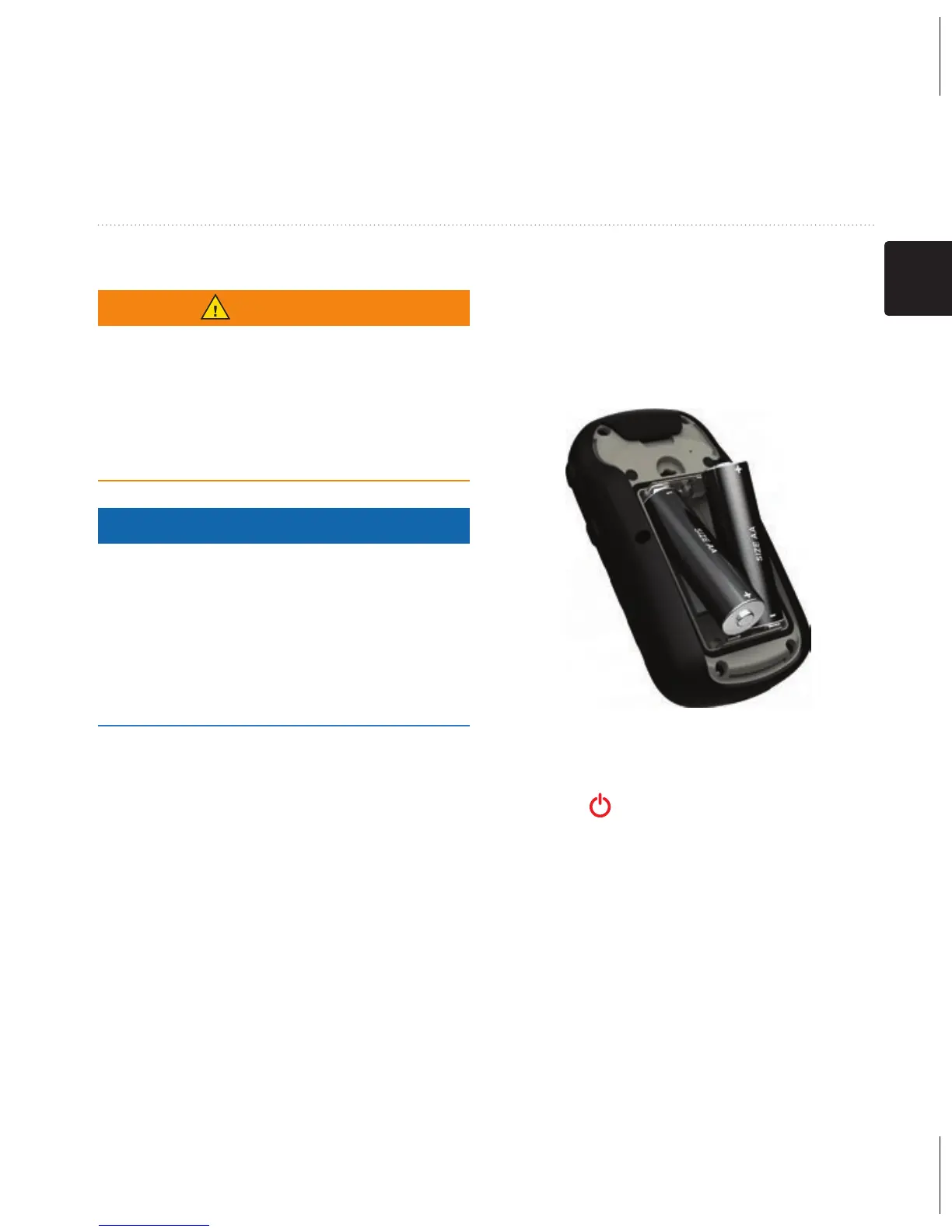
Installing AA Batteries
The device operates on two AA
batteries. You can use alkaline,
NiMH, or lithium batteries. Use
NiMH or lithium batteries for best
results.
1. Turn the D-ring counter-
clockwise, and pull up to remove
the cover.
2. Insert the batteries, observing
polarity.
3. Replace the battery cover, and
turn the D-ring clockwise.
4. Hold .
5. Select Setup > System >
Battery Type.
6. Select Alkaline, Lithium, or
Rechargeable NiMH.



 To Next Page