owner’s manual for use with models 10, 20, 30 3
Getting Started
EN
Getting Started
WARNING
See the Important Safety and
Product Information guide in the
product box for product warnings
and other important information.
When using your device the rst
time, you should complete these
tasks to set up the device and get
to know the basic features.
1. Install the batteries (page 5).
2. Turn on the device (page 6).
3. Acquire satellites (page 6).
4. Register the device (page 6).
5. Mark a waypoint (page 7).
6. Create a route (page 10).
7. Record a track (page 12).
8. Navigate to a destination (page
14).
9. Calibrate the compass (page
15).
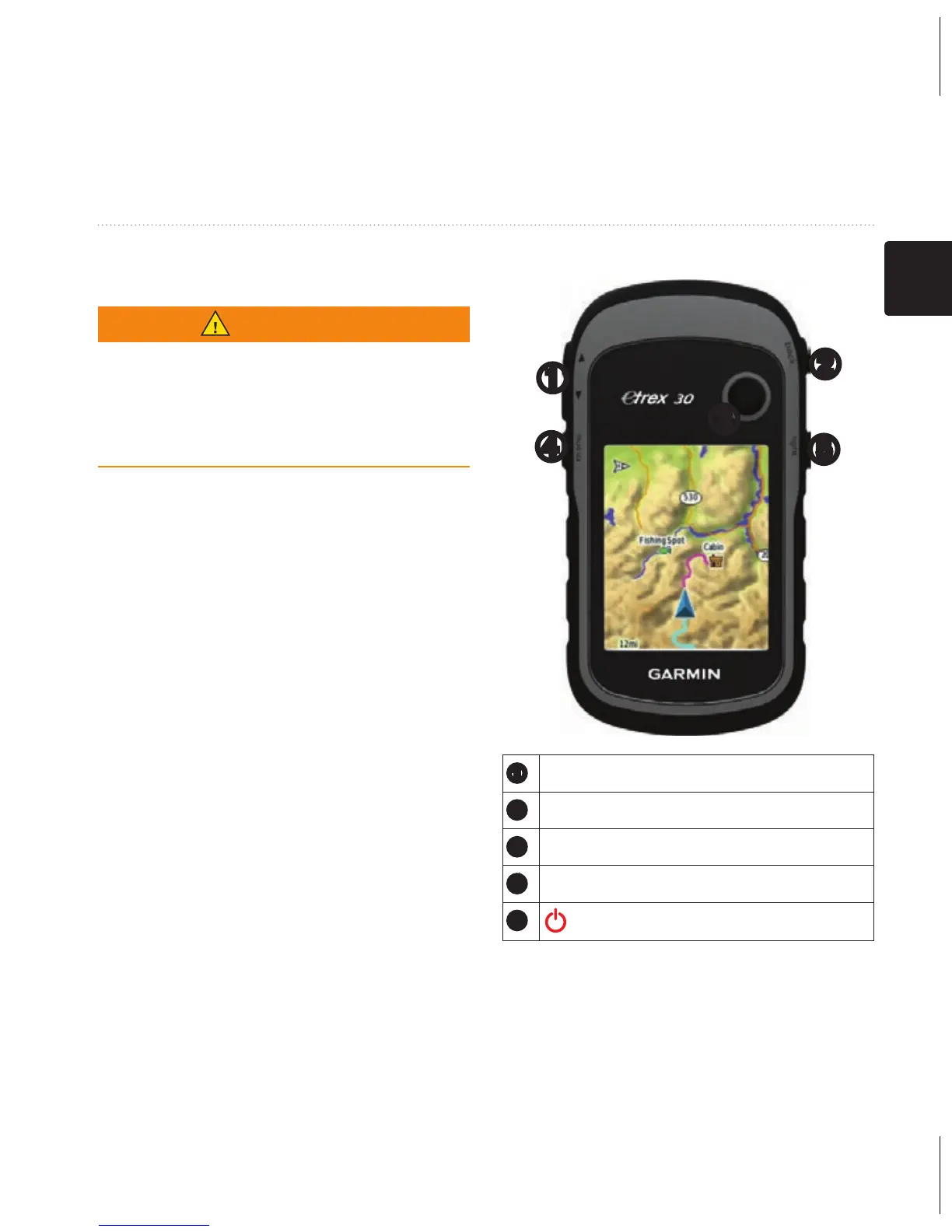
Device Overview
➊
➎
➍
➌
➋
➊
Zoom keys
➋
Back key
➌
Thumb Stick™
➍
Menu key
➎
/Backlight key



 To Next Page