Forerunner 410 Quick Start Manual 7
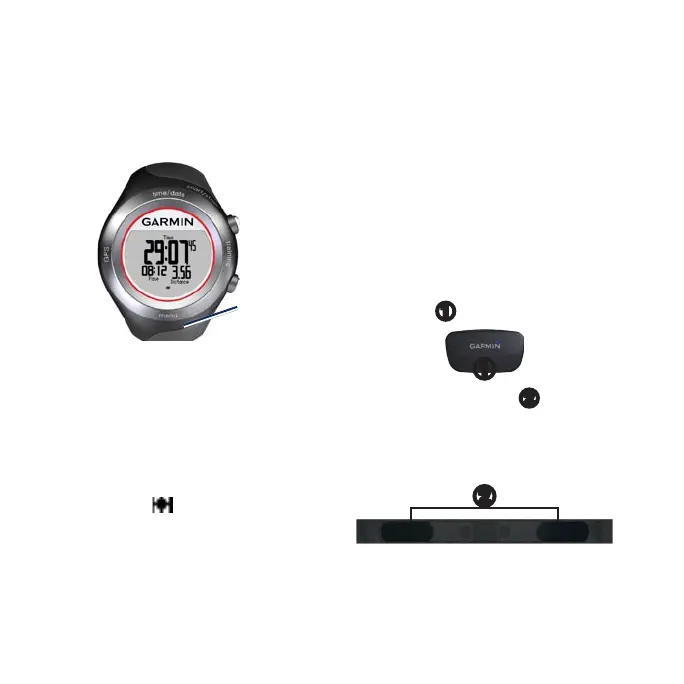
1. Go outdoors to an open area. For
the best reception, make sure the
antenna of the device is oriented
toward the sky.
Antenna
location
2. Touch and hold training to enter
training mode.
3. Stand still and do not begin
moving until the locating
satellites page disappears.
When you are receiving satellite
signals, the GPS icon appears in
the training mode pages.
Putting on the Heart
Rate Monitor
NOTE: If you do not have a heart
rate monitor, you can skip this step.
Wear the heart rate monitor directly
on your skin, just below your
breastplate. It should be snug enough
to stay in place during your run.
1. Connect the heart rate monitor
module
➊
to the strap.
➊
2. Wet both electrodes
➋
on the
back of the strap to create a
strong connection between your
chest and the transmitter.
➋
3. Wrap the strap around your chest,
and connect it.



 To Next Page