4 Forerunner 610 Owner’s Manual
Introduction
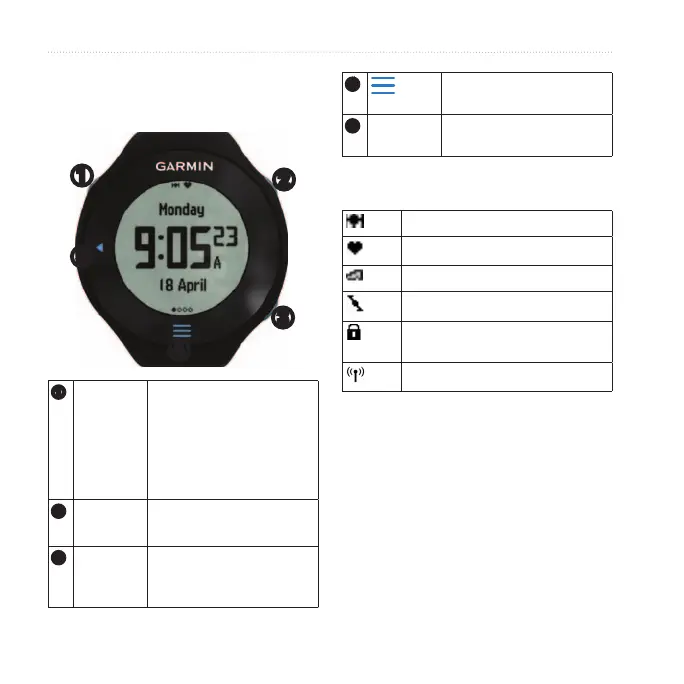
Each key has multiple functions.
➊
➋
➌
➍
➎
➊
Hold
to turn the device on
and off.
Select to turn on the
backlight.
Select to search for a
compatible weight scale.
➋
Select to start and stop
the timer.
➌
Select to mark a new lap.
Hold to save your run and
reset the timer.
➍
Select to show and hide
the menu.
➎
◄ Select to return to the
previous page.
GPS is on and receiving signals.
Heart rate monitor is active.
Foot pod is active.
Bike sensor is active.
Watch is in power save mode
(page 41).
Fitness equipment is active.
The Forerunner touchscreen is
different than most mobile devices.
The touchscreen is designed so you
can operate it with your ngernail. The
touchscreen is optimized to prevent
accidental touches while you run.
NOTE: You must press or swipe rmly













 To Next Page