EasyManua.ls Logo

Garmin Forerunner 620 - Page 3

Garmin Forerunner 620
24 pages
Print Icon
To Next Page IconTo Next Page
To Previous Page IconTo Previous Page
Loading...
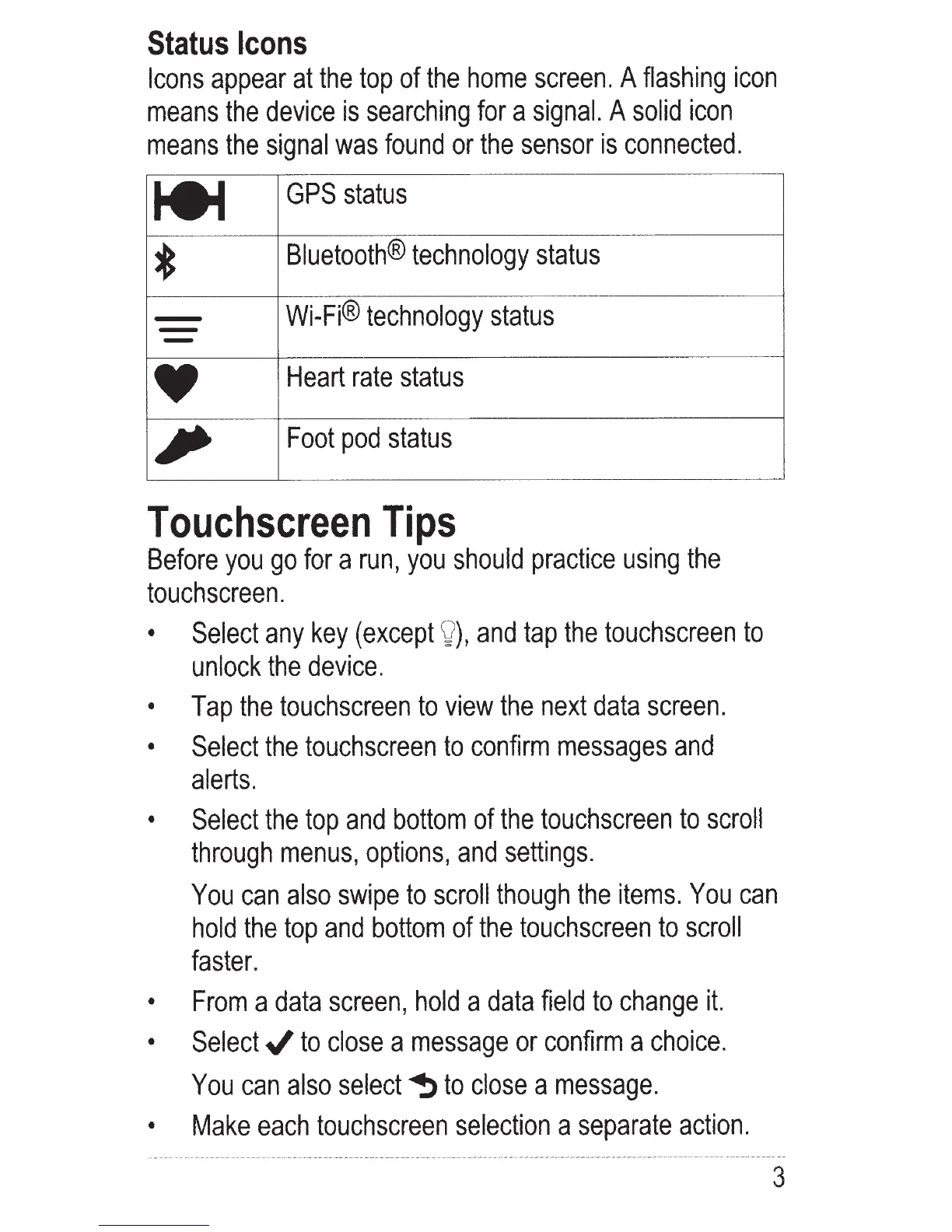
Status
Icons
Icons
appear
at
the top
of
the
home
screen.
A
flashing
icon
means
the
device
is
searching
for
a
signal.
A
solid
icon
means
the
signal
was
found
or
the
sensor
is
connected.
te-l
GPS
status
*
Bluetooth®
technology
status
-
Wi-Fi®
technology
status
-
Heart
rate
status
,
Foot
pod
status
Touchscreen
Tips
Before
you
go
for
a
run,
you
should
practice
using
the
touchscreen.
Select
any
key
(except
v
),
and
tap
the
touchscreen
to
unlock
the
device.
Tap
the
touchscreen
to
view
the
next
data
screen
.
Select
the
touchscreen
to
confirm
messages
and
alerts.
Select
the top
and
bottom
of
the
touchscreen
to
scroll
through
menus,
options,
and
settings.
You
can
also
swipe
to
scroll
though
the
items.
You
can
hold
the top
and
bottom
of
the
touchscreen
to
scroll
faster.
From
a
data
screen
,
hold
a
data
field
to
change
it.
Select../
to
close
a
message
or
confirm
a
choice.
You
can
also
select
~
to
close
a
message
.
Make
each
touchscreen
selection
a
separate
action.
3

Other manuals for Garmin Forerunner 620

Related product manuals