Forerunner 910XT Quick Start Manual 3
Charge the Forerunner completely.
A fully charged battery will last up to 20
hours, depending on usage.
The rst time you use the Forerunner,
you are prompted to choose your system
settings and enter user prole information.
Hold to turn on your Forerunner.
Follow the on-screen instructions.
Go outdoors to an open area.
Wait while the Forerunner searches for
satellites.
It may take 30–60 seconds to locate
satellite signals.
The time of day and date are set
automatically.
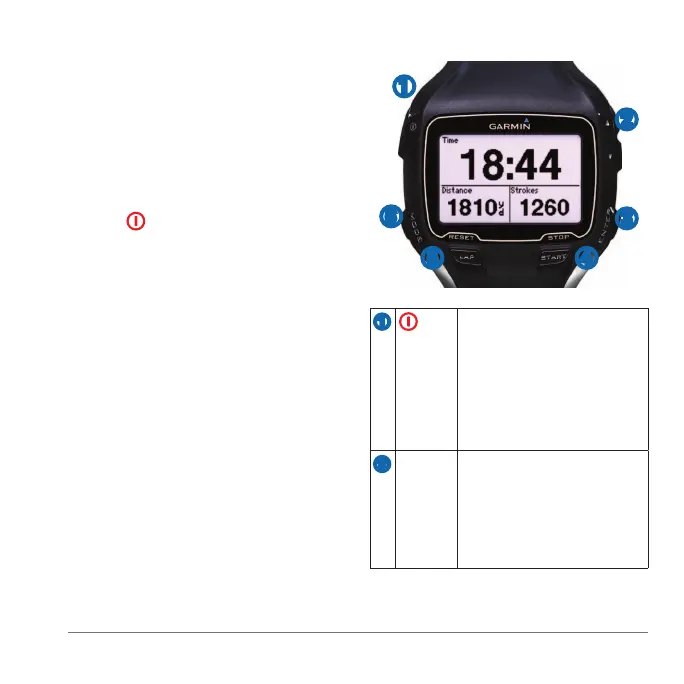
➊
➋
➌
➍➎
➏
➊ Hold to turn the device on
and off.
Select to adjust the backlight.
Select to view status icons
(page 4).
Select to search for a
compatible weight scale.
➋
▲▼ Select to scroll through menus
and settings.
Hold to scroll quickly through
the settings.
Select to scroll through training
pages during a workout.















 To Next Page