Forerunner 910XT Quick Start Manual 5
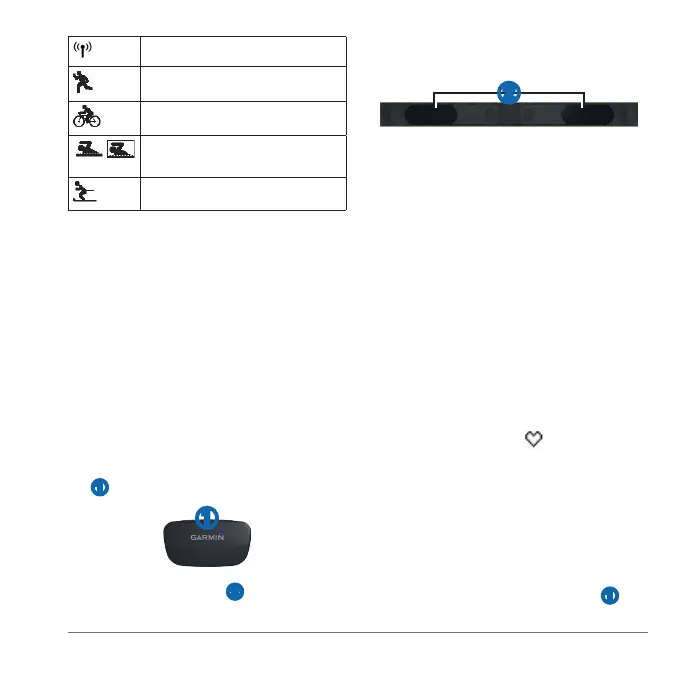
Fitness equipment is active.
Run sport is active.
Bike sport is active.
Swim (open or pool) sport is
active.
Other sport is active.
: If you do not have a heart rate
monitor, you can skip this task.
: The Forerunner cannot record
heart rate data while swimming.
Wear the heart rate monitor directly on
your skin, just below your breastplate. It
should be snug enough to stay in place
during your run.
Connect the heart rate monitor module
➊ to the strap.
➊
Wet both electrodes ➋ on the
back of the strap to create a strong
connection between your chest and
the transmitter.
➋
Wrap the strap around your chest, and
connect it.
The Garmin logo should be right-side
up.
Bring the device within range (3 m) of
the heart rate monitor.
: If the heart rate data is erratic
or does not appear, you may have
to tighten the strap on your chest or
warm up for 5–10 minutes.
After you put on the heart rate monitor, it
is on standby and ready to send data.
When the heart rate monitor is paired, a
message appears, and
appears solid
on the screen.
Before you can record history, you must
locate satellite signals (page 3) or pair
your Forerunner with an optional foot pod.
Select to start the timer ➊.















 To Next Page