6 Forerunner 910XT Quick Start Manual
➊
➌
➋
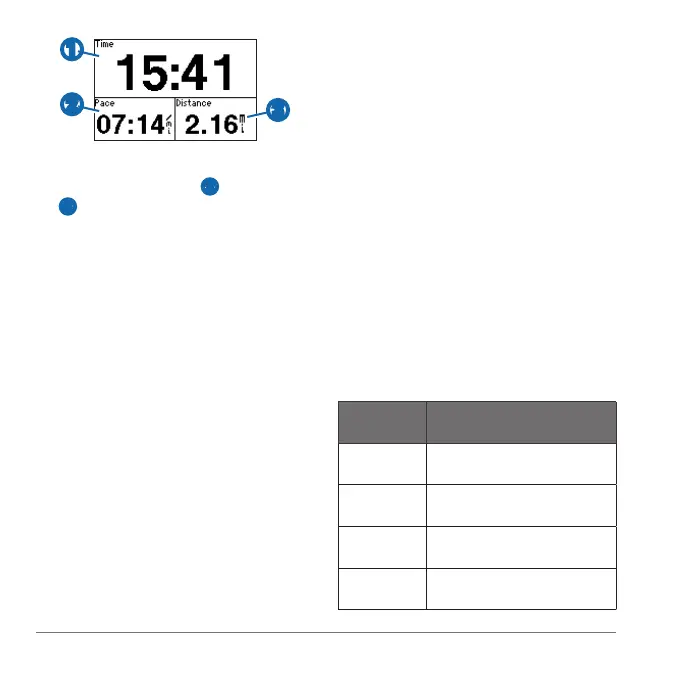
History is recorded only while the timer
is running. Your pace
➋ and distance
➌ appear on the timer page.
The data elds shown are the defaults.
You can customize the data elds
(page 10).
After completing your run, select
.
Hold to save your run and
reset the timer.
Transfer saved activities to your
computer (page 9).
• History (page 6)
• Indoor use (page 7)
• Bike mode (page 7)
• Swim features (page 8)
• Triathlon training (page 9)
• Garmin Connect
™
(page 9)
• Customization (page 10)
• Troubleshooting (page 10)
• Care and cleaning (page 11)
Your Forerunner stores data based on
the type of activity, the accessories used,
and your training settings. When the
Forerunner memory is full, your oldest
data is overwritten. A warning message
appears on the Forerunner before any
data is deleted.
: History is not recorded while the
timer is stopped or paused.
220 hours Smart recording with no
ANT+
™
accessories
160 hours Smart recording with ANT+
accessories
48 hours Every second recording with
no ANT+ accessories
42 hours Every second recording with
ANT+ accessories















 To Next Page