GFC 600 AFCS Part 23 AML STC Maintenance Manual Page 57
190-01938-00 Revision 13
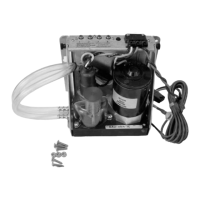
9.4.1 Servo Tests
If a servo has been removed and reinstalled (or replaced), perform the following steps.
1. Load software as shown in Section 8.1.
2. Power the GFC 600 in normal mode.
3. Complete Pre-Flight Test (PFT) as shown in Section 9.2.
4. Proceed to the sub-section below as appropriate for the servo that has been replaced.
9.4.1.1 Roll Servo Functional Check
1. Verify that the steps in Section 9.4.1 have been completed.
2. Center the heading bug on the aircraft heading.
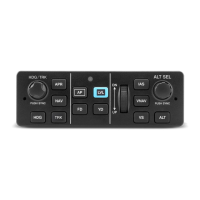
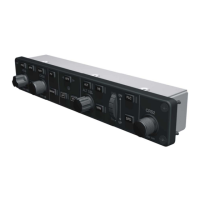
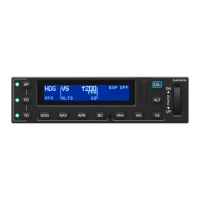
3. Engage the autopilot by pressing the AP button on the GMC 605.
4. Verify that the roll servo is restricting free movement of the flight controls.
5. Press the HDG button to engage roll mode.
6. Rotate the heading bug to the left of the current aircraft heading.
7. Ensure that the command bars indicate a left roll and that the servo drives the flight
controls to the left.
8. Rotate the heading bug to the right of the current aircraft heading.
9. Ensure that the command bars indicate a right roll and that the servo drives the flight
controls to the right.
10. Firmly grasp the control wheel and press the AP DISC/TRIM INT switch on the pilot’s
flight controls.
11. Verify that the roll control moves freely.
9.4.1.2 Pitch Servo Functional Check
1. Verify that the steps in Section 9.4.1 have been completed.
2. Center the flight controls approximately mid-travel.
3. Engage the autopilot by pressing the AP button on the GMC 605.
4. Verify that the pitch servo is restricting free movement of the flight controls.
5. Rotate the NOSE UP/DN thumbwheel UP three clicks.
6. Ensure that the flight director command bars indicate a pitch up and that the pitch servo
drives the controls in a nose up direction. NOTE: In some aircraft, some assistance may
be needed to drive the flight controls against any counterweight or springs.
7. Press and release the CWS switch to recenter the pitch reference.
8. Apply continuous forward pressure on the pitch control in a nose down direction.
9. Ensure that the pitch trim (if installed) begins running in the nose up direction.
10. Press and release the CWS switch to recenter the pitch reference.
11. Apply continuous aft pressure to the flight controls in a nose up direction.
12. Ensure that the pitch trim (if installed) begins running in the nose down direction.




 To Next Page