7
This product does not contain any user-
serviceable parts� Repairs should only be
made by an authorized service center�
Unauthorized repairs or modications
could result in permanent damage to the
equipment, and void your warranty and
your authority to operate this device under
Part 15 regulations�
Industry Canada Compliance
Category I radiocommunication devices
comply with Industry Canada Standard
RSS-210� Category II radiocommunication
devices comply with Industry Canada
Standard RSS-310� This device complies
with Industry Canada license-exempt RSS
standard(s)� Operation is subject to the
following two conditions: (1) this device
may not cause interference, and (2) this
device must accept any interference,
including interference that may cause
undesired operation of the device�
Limited Warranty
Garmin’s standard limited warranty applies
to this accessory� For more information,
go to www�garmin�com/support/warranty
�html�
Instructions pour le
capteur GLONASS et
GPS GLO™ 2
Mise en place de la batterie
AVERTISSEMENT
Ce produit contient une batterie lithium-
ion� Reportez-vous à la page 11 pour
consulter les informations importantes sur
la batterie�
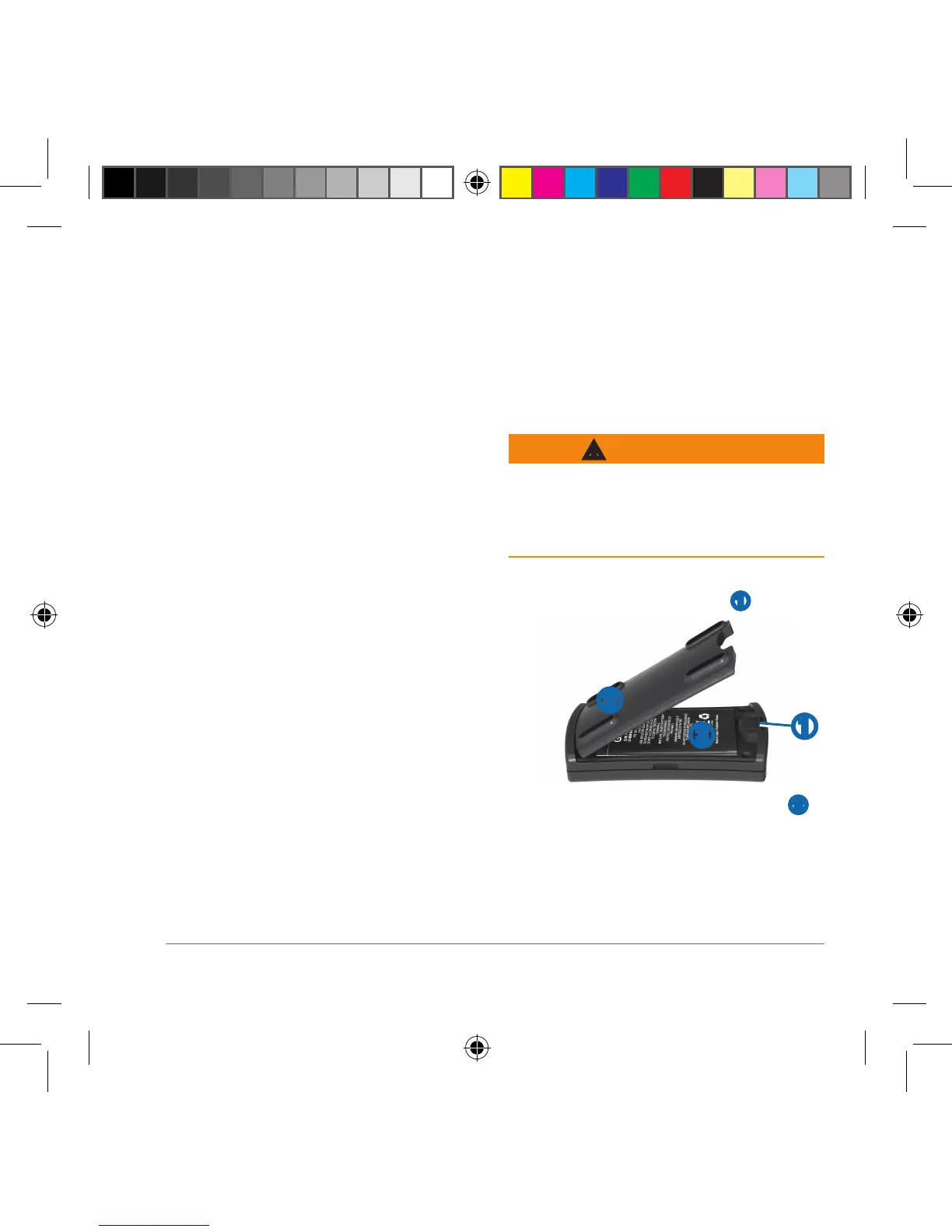
1
Avec l'ongle du pouce, faites coulisser
le couvercle de la batterie ➊�
➌
➊
➋
2
Retirez le couvercle de la batterie ➋�
3
Localisez les contacts métalliques à
l'extrémité de la batterie lithium-ion.
Glo_2_Instructions_print.indd 7 8/1/2018 12:36:53 PM



 To Next Page