61
Reference
To select a location format or map datum:
1. Follow the steps on page 54 to select the Location Setup Page.
2. Use the ROCKER KEYPAD to highlight ‘Location Format’ or ‘Map Datum’ and press
ENTER. A pop-up window will appear with selections for that feature.
3. Use the ROCKER KEYPAD to highlight the desired setting and press ENTER.
To restore Location Setup Page features to the original factory settings:
1. Follow the steps on page 54 to select the Location Setup Page.
2. Press MENU to display an options menu.
3. Use the ROCKER KEYPAD to highlight ‘Restore Defaults’ and press ENTER.
Main Menu: Setup: Alarms
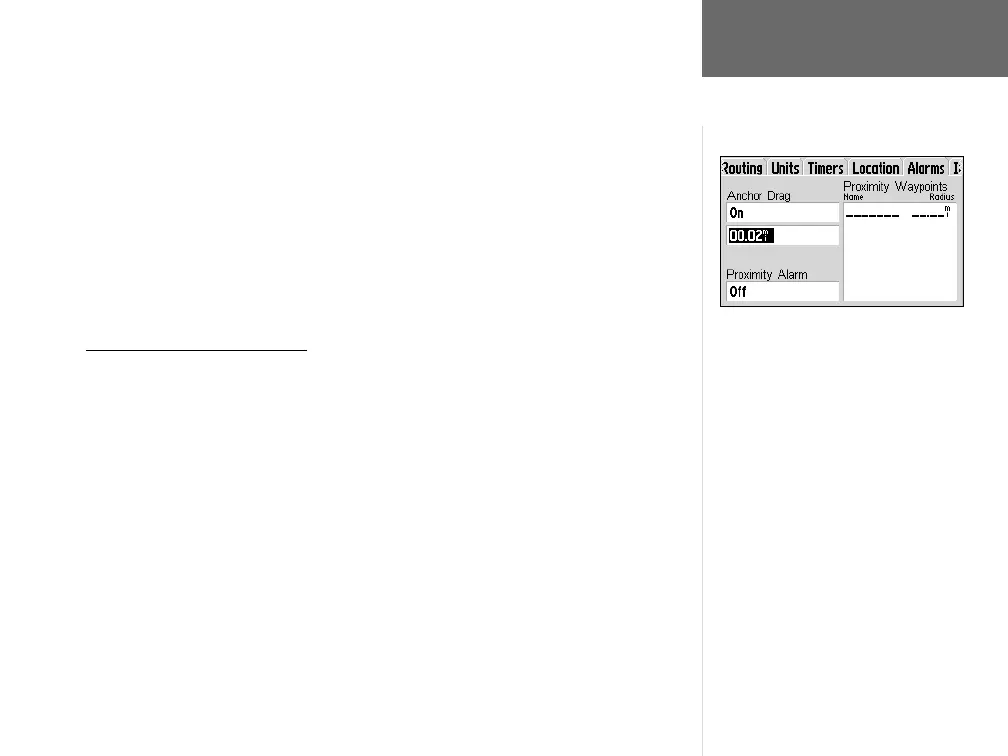
The Alarms Setup Page provides settings for anchor drag and proximity alarms.
When enabled, the anchor drag alarm will sound when you’ve exceeded a specifi ed
drift distance, up to 99.99 (units). A proximity alarm defi nes an alarm circle around a
specifi ed waypoint. The radius from the proximity waypoint can be up to 99.99 (units).
Proximity alarms are useful when marking locations you wish to avoid (e.g., hazards).
To enable/disable the anchor drag alarm:
1. Follow the steps on page 54 to select the Alarms Setup Page.
2. Use the ROCKER KEYPAD to highlight ‘Anchor Drag’ and press ENTER. A pop-up
window will appear.
3. Use the ROCKER KEYPAD to highlight ‘On’ or ‘Off’ and press ENTER.
4. To defi ne the alarm distance, use the ROCKER KEYPAD to highlight the anchor
drag distance fi eld and press ENTER. Use the ROCKER KEYPAD and ENTER to
enter the maximum allowable drift distance.
Main Menu: Setup
An anchor drag alarm indicates if you have
drifted beyond a specifi ed distance.
GPS V OM.indd 10/3/01, 1:53 PM61


 To Next Page