GPSMAP 198C Sounder Owner’s Manual 5
BASIC OPERATION > INTERFACE KEYS
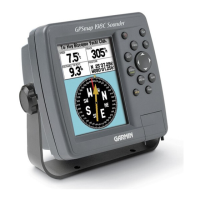
Interface Keys
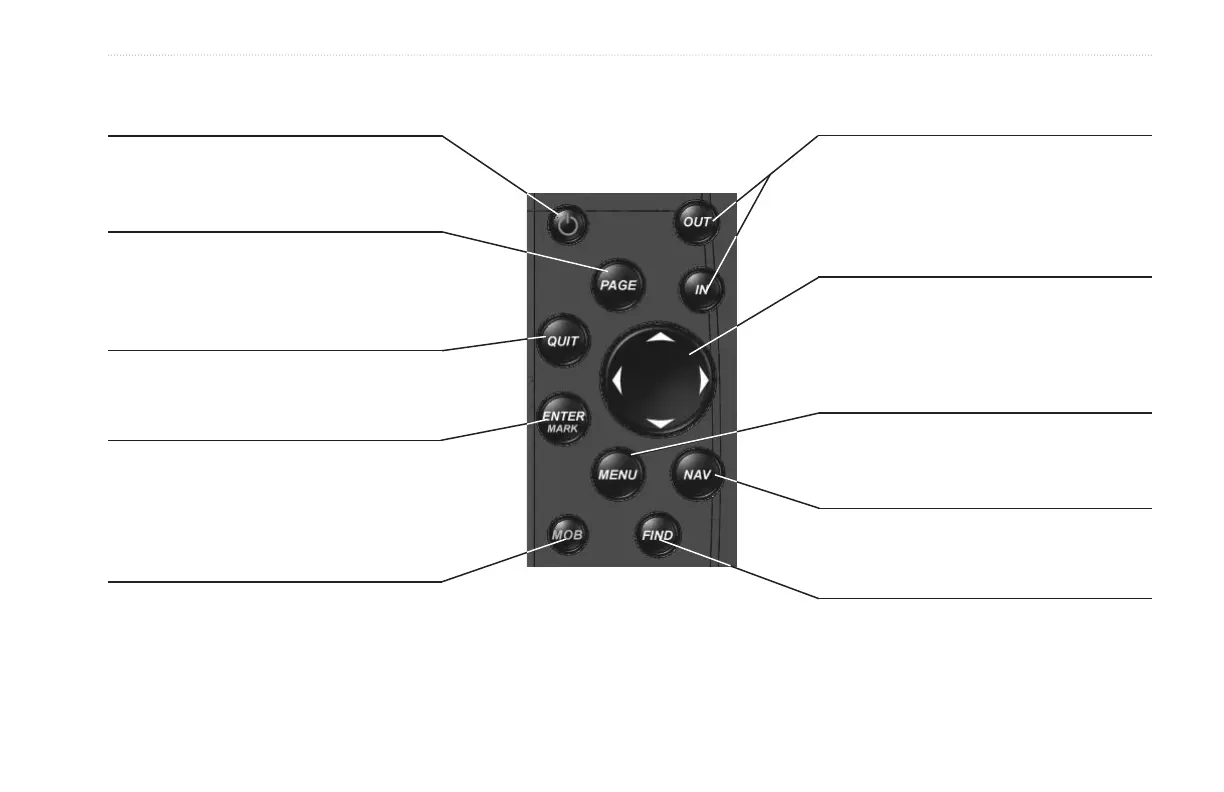
POWER Key
• Press and hold to turn the unit on or off.
• Press and release to adjust backlighting.
PAGE Key
• Press to cycle through the main pages.
• Press to end an operation in progress and
return to the main page.
QUIT Key
• Press and release to cancel data entry or
exit a page.
ENTER/MARK Key
• Press and release to enter highlighted options
and data or confirm on-screen messages.
• Press and hold at any time to mark your
current location as a waypoint.
MOB Key
• Press and hold for MOB waypoint.
IN/OUT Zoom Keys
• From the Map Page, press to zoom
in or out.
• From any other page, press to scroll up or
down a list.
ROCKER Key
• Move up, down, right or left to move
through lists, highlight fields, on-screen
buttons and icons, enter data, or move the
map pointer.
MENU Key
• Press and release to view options for a page.
• Press twice to view the Main Menu.
NAV Key
• Press and release at any time to
view the Navigation Menu.
FIND Key
• Press to search for points such as user
waypoints, cities, and services.


 To Next Page