GPSMAP 198C Sounder Owner’s Manual 45
MAIN MENU > TIDE TAB
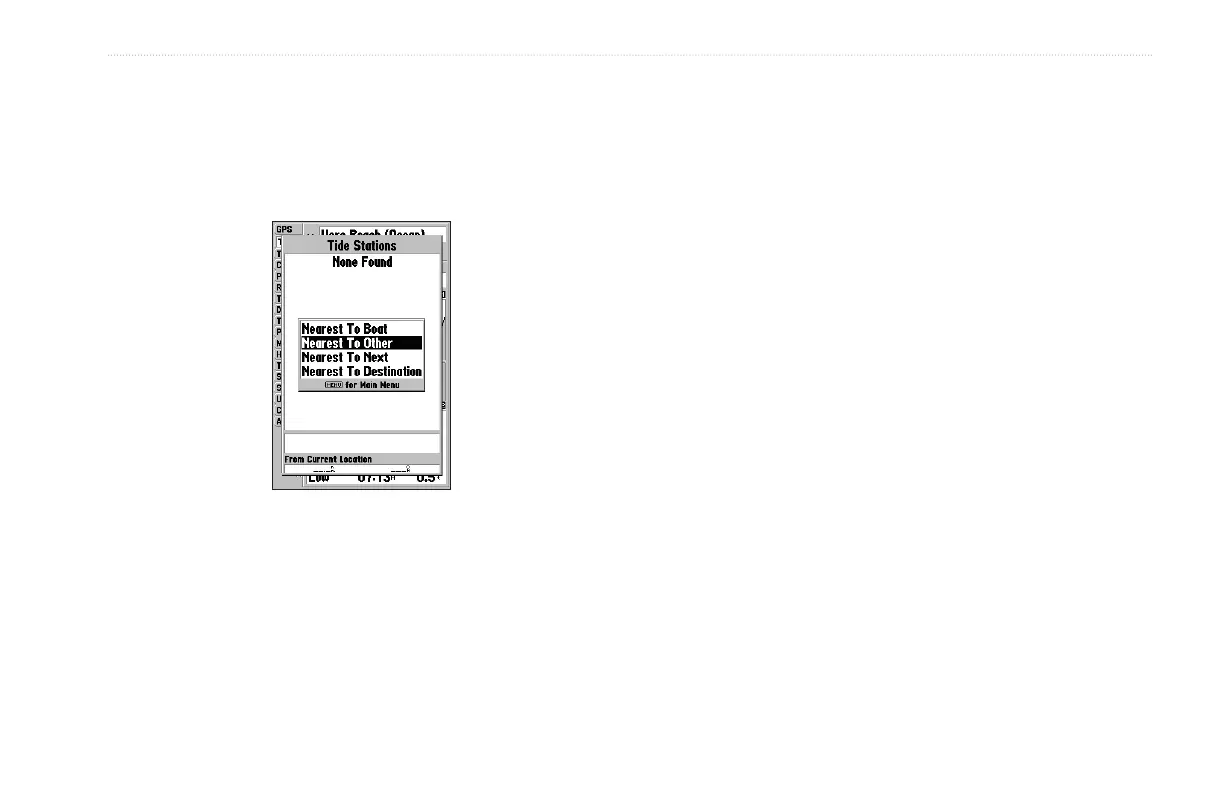
Automatically search for the nearest station using a variety of
search locations. You must select a location within 100 nm of a
tide station. If you are not within this range, you see a message
“None Found.” Use the Nearest To Other Find option and select a
location closer to a tide station.
To select a tide station from the map:
1. When the search results appear, press FIND, highlight Tide
Stations, press ENTER, and then press MENU.
2. Highlight Nearest To Other, and press ENTER.
3. Select a location on the map, and press ENTER. A list
appears showing the nearest tide stations.
4. Highlight the station, and press ENTER twice. If the None
Found message appears, repeat steps 1-4 until you find a
station.
To change the date for the tide chart:
1. Using the ROCKER, highlight the On field, and press
ENTER.
2. Enter the date, and press ENTER.
To use the current date:
Press MENU, highlight Use Today’s Date, and press
ENTER.


 To Next Page