2 GPSMAP 3005C Owner’s Manual
GETTING STARTED > USING THE GPSMAP 3005C KEYPAD
Using the GPSMAP 3005C Keypad
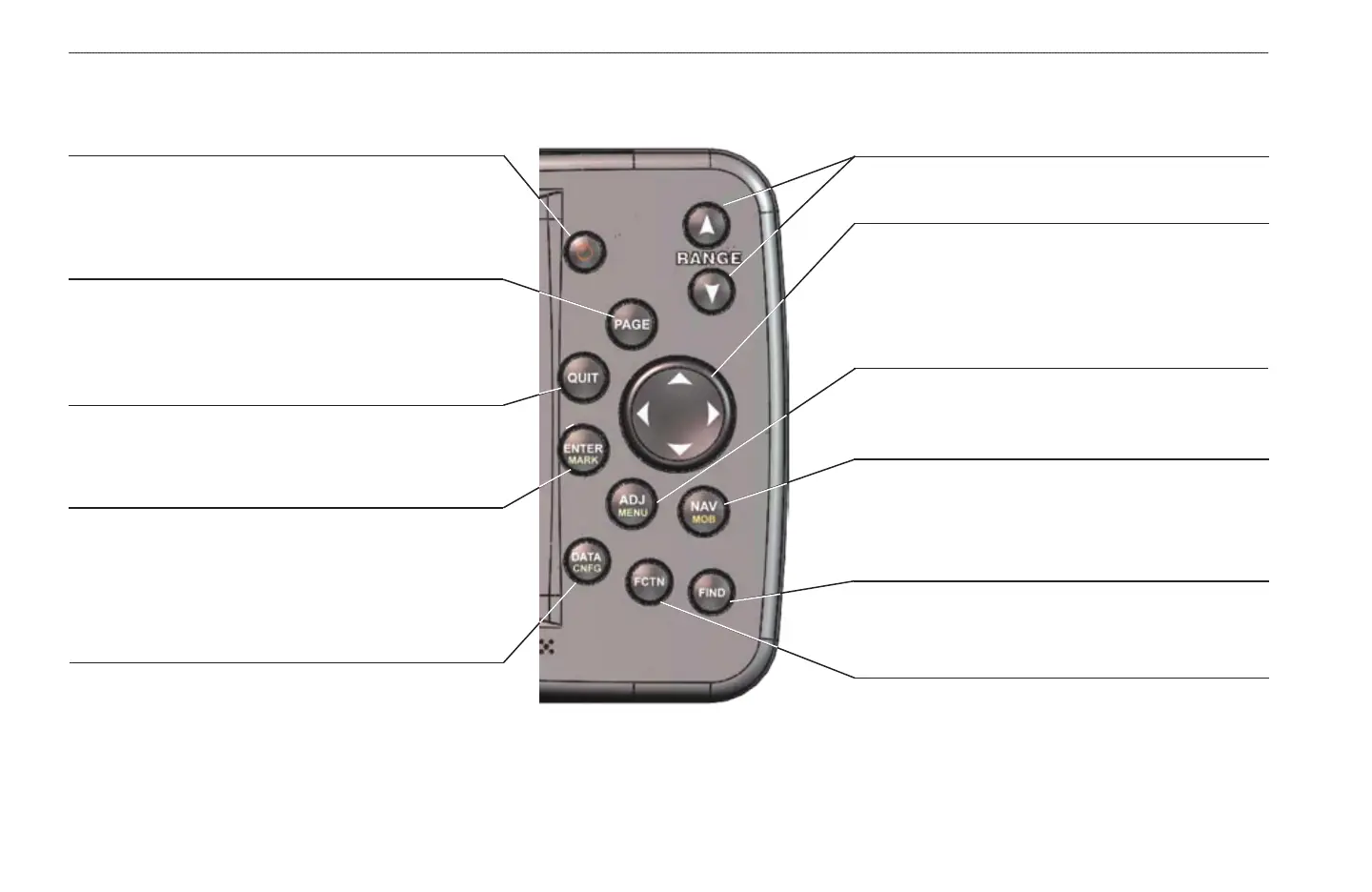
DATA/CNFG Key
• Press to show or hide function windows and data
fields on a main page.
• Press and hold to open the Configuration window.
POWER Key
• Press and hold to turn the unit on or off.
• Press and release to adjust backlighting.
QUIT Key
• Press to cancel data entry or exit a page.
ENTER/MARK Key
• Press and release to enter highlighted items and data
or confirm on-screen messages.
• Press and hold to mark your current location as a
waypoint.
ADJ/MENU Key
• Press and release to view options for a page.
• Press and hold to open the Main Menu.
RANGE Keys
• Press to zoom in or out on the map.
ROCKER Key
• Press up, down, right, or left to move through lists,
highlight fields, on-screen buttons and icons, enter
data, or move the map pointer.
NAV/MOB Key
• Press to open the Navigation menu.
• Press and hold to mark and create a track back to
the marked location.
FIND Key
• Press to search for points such as user waypoints,
cities, and services.
FCTN Key
• Press to cycle through function windows.
PAGE Key
• Press to cycle through the main pages in sequence.
• Press to end an operation in progress and return to the
main page.















 To Next Page